
You’ve spent the evening pushing an 808 through distortion, tuning a cowbell melody and making the drums hit harder than they probably should.
The track sounds enormous. You’ve exported the master, cut a fifteen-second preview and started imagining it underneath a night-driving edit, gaming video or gym montage.
Now you’re ready to upload it.
Except there’s a problem. That Memphis rap vocal you pitched down came from a YouTube video. The cover uses a photograph you found online. Your master clips so aggressively that the cowbell becomes painful on headphones, and you’re not entirely sure whether the track belongs under classic phonk, drift phonk or another category.
Making a phonk track and having a phonk track you can confidently publish are two different achievements.
The good news is that you don’t need a record-label agreement or an enormous budget to start releasing your original music independently. You do need a finished recording, a clear artist identity, accurate metadata, the necessary rights and a platform where listeners can actually hear it.
If your track is already prepared, you can upload phonk music free on BeatsToRapOn. A free artist account currently supports up to ten total track uploads, with approved and eligible music able to reach listeners through the connected BTR Music app.
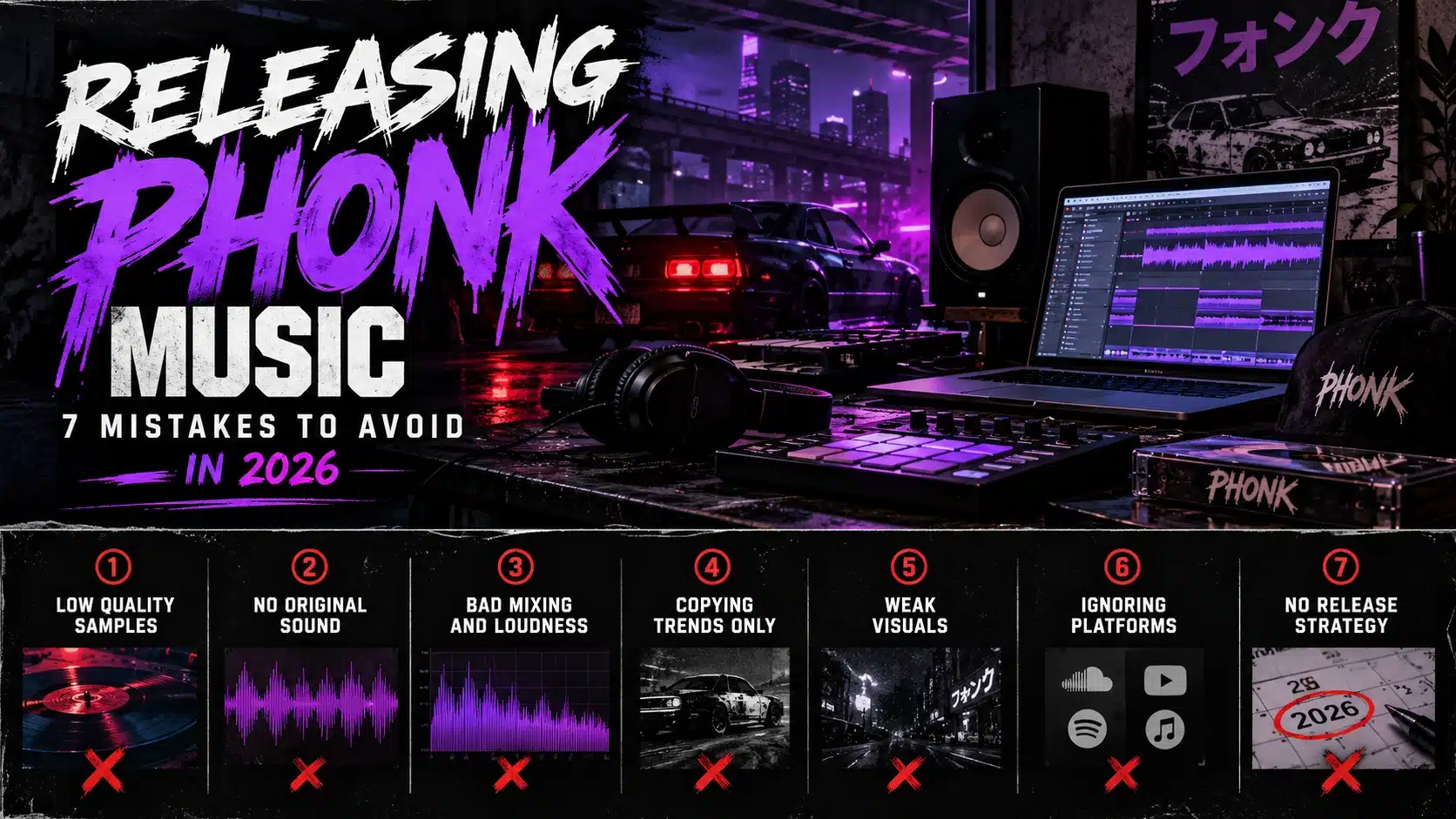
Before pressing upload, however, there are seven release mistakes worth understanding. Some can hold back an otherwise excellent recording. Others can create copyright problems or make it harder for listeners to find your next track.
1. Your Phonk Sample Sounds Incredible. That Doesn’t Mean You Can Release It.
Phonk has a complicated relationship with sampling.
The genre’s origins are closely connected to Memphis rap, underground hip-hop and the culture of chopping, pitching and transforming existing recordings. That influence is an essential part of understanding classic phonk, but it also creates one of the biggest practical problems for independent producers.
A sample can sound completely different after processing while still containing someone else’s protected work.
Imagine you’ve downloaded an old rap acapella, pitched it down several semitones, chopped the phrase into four pieces and placed it beneath your cowbell melody. The result sounds completely different from the original song, but changing the recording does not automatically grant you permission to republish it.
The distinction matters because copyright can protect the underlying musical composition and the sound recording separately. As the U.S. Copyright Office explains, those rights may belong to different parties and require different permissions.
The Three-Source Test
Before submitting your phonk release, inspect every externally sourced element.
The vocal: Did you record it yourself, commission it with appropriate rights, obtain a valid licence or receive permission from the relevant rightsholders?
The musical sample: Is the melody or loop original, licensed for your intended use or otherwise legally usable? A sample-pack purchase may come with restrictions that need to be understood.
The recording: Are you using another artist’s actual recording, even if only a short section? If so, verify the necessary rights independently of the underlying composition.
A useful approach is to maintain a release folder containing sample licences, purchase receipts, collaborator agreements and other supporting documents.
You may never need to show those documents to anyone. But if a rights question arises later, having them organised is considerably better than attempting to reconstruct where you downloaded a vocal six months earlier.
What About Royalty-Free Phonk Samples?
Royalty-free doesn’t necessarily mean unrestricted.
Some sample libraries permit commercial music releases but impose conditions on redistribution, standalone samples or other uses. Others may have special restrictions on vocals, identifiable performances or content used in certain contexts.
Read the licence that applies to your particular download.
For a more detailed explanation of sampling and clearance, see How to Sample a Song.
Release decision: If you’re uncertain whether you can publish a sample, resolve the rights issue or replace the material before submitting the track.
2. Calling Everything Phonk Can Put Your Track in the Wrong Category
Imagine two artists submitting recordings to the same music platform.
The first has made a slow, sample-heavy instrumental with a loose hip-hop pocket, dusty melodic textures and pitched vocal fragments.
The second has created an aggressive, fast-paced track built around a distorted cowbell melody, driving percussion and a heavy electronic bassline.
Both recordings might be described as phonk. Yet a listener searching for the first sound may have little interest in the second.
This is why genre classification matters when you upload music.
Phonk has developed into several related but audibly different branches. Using accurate genre information can help listeners navigate the catalogue and understand what kind of recording they’re about to hear.
Choose the Right Phonk Upload Category
| Your recording | Relevant BTR upload page |
|---|---|
| General phonk or a blend of styles | Upload Phonk |
| Fast, aggressive drift-oriented phonk | Upload Drift Phonk |
| Memphis-rooted, classic phonk | Upload Classic Phonk |
| Atmospheric, sample-led rare phonk | Upload Rare Phonk |
These links provide genre-specific guidance. Your artist workspace determines the available upload classifications, so choose the closest accurate category there.
If you’re unfamiliar with the differences, read Phonk Music: History, Meaning and Subgenres, which covers classic, rare, drift and modern crossover styles in greater detail.
Don’t Mislabel Brazilian Funk as Phonk
This is particularly important as producers work across genres.
Brazilian funk, including funk carioca and its related styles, has its own musical history and cultural identity. Some international recordings combine Brazilian funk influences with sounds associated with modern phonk, but that doesn’t make every Brazilian funk production a phonk record.
If your track is more accurately described as Brazilian funk, use the appropriate category instead of choosing phonk only because the keyword appears popular.
BTR has a dedicated Funk Carioca / Brazilian Funk upload page.
Release decision: Choose the genre that matches the music, not the genre you hope will produce the most streams.
3. Distortion Is Part of the Sound. A Damaged Master Is Still a Damaged Master.
Let’s address something that matters particularly in drift phonk.
Aggressive distortion is not automatically bad mixing.
Clipped kick drums, saturated basslines, metallic cowbell melodies and deliberately degraded textures can all be intentional parts of the genre. A clean, restrained master isn’t necessarily the correct artistic choice.
But there is an important difference between deliberate distortion and uncontrolled audio problems.
A bassline can be distorted while remaining rhythmically intelligible. A cowbell can sound aggressive without dominating every other frequency. A master can be loud without containing unexpected export errors or digital artefacts that undermine the production.
The question isn’t whether your phonk sounds clean.
It’s whether the finished recording sounds the way you intended.
Test Your Export, Not Just Your DAW Session
Before uploading, listen to the actual file you plan to submit.
Start with headphones. Check whether any particular cowbell notes become painfully harsh. Listen to the relationship between the kick and bass and make sure the main rhythm remains understandable.
Then use a phone or smaller speaker.
Your deepest sub-bass may be difficult to reproduce, but the recording should still retain enough harmonic and rhythmic information to communicate its identity.
Finally, listen through the beginning and end of the file. Check for accidental silence, abrupt cuts, missing elements or a damaged export.
Why the Final Audio Format Matters
Audio platforms have different accepted file formats and size limits. Rather than assuming one export works everywhere, prepare a high-quality original master and follow the requirements shown in the uploader.
Keep your original session files and a lossless export where possible, even if the platform accepts other audio formats.
The BTR Music Upload Requirements Guide explains audio preparation, artwork and other release specifications.
Release decision: Submit a technically reliable final recording, not a preview export or an unfinished master from your project folder.
4. Your Cover Looks Like a Viral Phonk Edit. But Does Anyone Know It’s Yours?
Think about how much phonk imagery you’ve seen.
Dark cars. Masked figures. Red lights. Anime-inspired compositions. Skulls. Industrial photography. Aggressive typography.
Those visuals can work for individual releases, but when hundreds of tracks use interchangeable imagery, the artist behind the recording becomes harder to recognise.
If you’re building a music catalogue, the cover should do more than communicate a genre stereotype.
It should help establish your identity.
The Thumbnail Test
Take your proposed artwork and display it at approximately 100 × 100 pixels.
Can you identify the main visual subject? Does the composition remain recognisable? Does the artwork still communicate something specific, or does it become a confusing collection of small details?
Now place that thumbnail beside the artwork from your other releases.
Do they feel like recordings from the same artist, or completely unrelated files?
A consistent visual language can help listeners recognise your catalogue without forcing every release to use identical imagery.
BTR Artwork Preparation
For BeatsToRapOn, prepare high-quality square artwork, with at least 1000 × 1000 pixels as a practical target. Keeping a 3000 × 3000-pixel original provides flexibility for other platforms and promotional materials.
Use artwork you created, commissioned with appropriate rights or have permission to publish.
Do not assume a photograph is free for commercial music artwork because it appeared in Google Images, Pinterest or a social media post.
Most importantly, don’t rely on a default cover if you have finished music that you want listeners to recognise.
BTR’s discovery eligibility rules take artist profiles and release artwork into account. A missing or default image can prevent music from qualifying for important discovery experiences.
Read the Album Artwork Requirements Guide before uploading.
Release decision: Prepare a distinctive, properly licensed cover and complete your artist profile before submitting your track.
5. Your File Is Called FINAL_MASTER_V9. That’s Not a Release Title.
Internal project names are useful in the studio.
They are rarely useful as public music metadata.
You’ve probably seen filenames such as:
PHONK_150BPM_FINAL_FINAL2.wav
DARK_DRIFT_TYPE_BEAT_03.mp3
COWBELL_TEST_MASTER_NEW.wav
Those names make sense while you’re producing. They tell you which working version you’re opening.
But a public music release needs a deliberate title and clear artist credits.
Listeners need to know what the recording is called and who created it. They should also be able to find it again after hearing a short preview or a shared link.
Give Your Phonk Track a Real Title
Choose a distinctive title that fits the recording.
Avoid adding unrelated artist names, genre labels and promotional phrases simply to capture search traffic.
If the song is an instrumental, make sure the available metadata accurately reflects its identity. You don’t need to cram every descriptive keyword into the public title.
Keep your artist name consistent across releases.
If you’ve published previous music under one spelling or stage name, don’t accidentally create a different public identity through inconsistent metadata.
Get Collaboration Credits Right
If a vocalist, producer or musician contributed to the track, record the relevant credits accurately.
Make sure you’ve agreed on the appropriate ownership and usage arrangements before publishing.
A completed instrumental does not mean you automatically own every sampled sound or featured performance within it.
Think Beyond the First Upload
Your goal should be to create a catalogue that listeners can navigate.
A recognisable artist name, consistent credits and properly presented recordings make that easier.
You can also explore the BTR Phonk music catalogue to understand how recordings are organised for listeners.
Release decision: Finalise your title, artist identity and credits before uploading. Don’t treat metadata as an afterthought.
6. Uploading Phonk to BTR Is Not the Same as Distributing It to Spotify
This distinction is important because the word upload means different things on different music platforms.
Uploading a track to a private cloud folder gives you a file that collaborators can access.
Uploading to a public music platform creates a different listening experience.
Using a music distributor to deliver a recording to external digital service providers is another workflow again.
These are not interchangeable processes.
How BeatsToRapOn and BTR Music Work Together
BeatsToRapOn is the artist-facing part of the ecosystem. It provides the workspace where musicians manage their profiles, upload recordings, prepare release information and manage their catalogue.
BTR Music is the connected listener-facing app.
Artists don’t need to maintain two separate BTR catalogues. Approved, published recordings that satisfy the relevant eligibility requirements can become available through the app.
That creates a direct relationship between the artist’s publishing workspace and the listener experience.
A BTR upload does not automatically distribute your recording to Spotify, Apple Music or other external DSPs. If you want to release through those services as well, you’ll need to use the relevant separate distribution process.
For a detailed platform walkthrough, read How to Upload Music to BTR Music.
What Does It Cost to Upload Phonk?
A free BeatsToRapOn artist account currently supports up to ten total track uploads.
That means an independent producer can begin building a small catalogue without purchasing an Artist Pro subscription.
For musicians who release larger numbers of tracks, Artist Pro offers unlimited uploads and additional features, subject to the current plan terms.
Free uploads are not a guarantee of streams, revenue, chart placement or promotional exposure.
Those outcomes depend on listener activity, eligibility and the applicable platform rules.
7. Your Track Is Published. Why Can’t Anyone Find It?
This is one of the most frustrating experiences for a new artist.
You’ve finished the music, submitted the recording and uploaded artwork.
Then you search for the track and assume something is wrong because it doesn’t immediately appear where you expected.
Several things can be happening.
First, a successful file transfer does not necessarily mean your recording has completed review and become publicly available.
Second, the track may be published but not yet eligible for every mobile or discovery experience.
Third, the recording may be difficult to find because its artist name, genre information or public metadata is incomplete or inconsistent.
And finally, publishing a track does not guarantee an immediate audience.
Check the Actual Release Status
Open your BeatsToRapOn artist workspace.
Review the track’s publishing and approval status. If the recording requires changes, follow the information provided rather than repeatedly uploading the same file.
Make sure your public artist profile is complete.
Use a proper artist image and biography, check the track’s artwork, and confirm the applicable artist and payment eligibility requirements where relevant.
Once the track is approved and publicly available, open its public page yourself.
Test playback.
Check the artwork and artist information on a phone.
Only then share the release URL with fans.
Discovery Is Not Automatic Promotion
A published track can become eligible for genre browsing and other BTR discovery features, but participation depends on the platform’s rules.
A recording isn’t guaranteed to appear prominently merely because it has been uploaded.
Likewise, ordinary listening activity does not guarantee payable streaming earnings. Eligible artists may participate in qualifying streaming and supported direct-fan products under the applicable terms.
Treat publication as the beginning of your release activity, not the conclusion.
The Actual Process: Publishing Your Phonk Track on BeatsToRapOn
Once the seven issues above have been addressed, the upload itself is comparatively straightforward.
<escape>Step 1 — Open the Phonk Upload Page.</escape> Visit Upload Phonk Music Free to start the artist-upload process. If you’re already signed in, continue through your existing track workspace.
Step 2 — Create or complete your artist profile. Use your proper stage name, a recognisable profile image and a concise biography. Your artist identity should match the recording you’re about to publish.
Step 3 — Prepare the final audio. Choose the finished version that you’ve listened to outside your DAW. Keep the original master and any relevant sample permissions organised.
Step 4 — Add original cover artwork. Upload a high-quality square image that represents the recording and that you’re authorised to use.
Step 5 — Enter the release details. Add the correct public title, credits, genre and other information requested by the current uploader.
Step 6 — Submit for review. Complete the upload and check the publishing status shown in your workspace. Review timing may vary.
Step 7 — Verify the public release. After approval and publication, open the public track page. Check playback, artwork and artist information before distributing the link.
You can follow these steps for classic phonk, rare phonk, drift phonk and other original productions, using the appropriate genre information.
The goal is to create a professionally presented recording that listeners can identify, play and revisit.
How to Promote Your Phonk Release Without Making Another Generic Car Edit
Phonk works particularly well with short visual content because many modern styles contain strong rhythmic accents, dramatic bass entries and immediately recognisable musical motifs.
But that doesn’t mean every independent artist should make the same night-driving video.
The better question is what makes your recording distinctive.
For a classic phonk track, that might be the relationship between your original sample-inspired phrase and the drums.
For rare phonk, it might be an atmospheric melody or unusual texture.
For drift phonk, it could be a memorable cowbell motif, bass movement or rhythmic stop before the drop.
Build your promotional material around that identity.
Show How the Track Changed
If you have an early project export, compare it with the final recording.
Play a short section before the bass was designed, then reveal the finished version. Demonstrating the actual musical transformation is more useful than simply announcing the track as your best production yet.
Use Your Own Music in Visual Content
A short gaming, fitness or cinematic video can introduce listeners to a phonk release, provided you have the rights to the accompanying visuals and any other included material.
Use a recognisable section of the actual track, then provide a direct link to its published listening page.
Avoid creating the impression that a recording belongs to a popular artist or franchise when it doesn’t.
Give Viewers a Reason to Remember the Artist
Make sure the video displays the real release title and artist name.
Keep the visual identity consistent with the public cover artwork.
When someone enjoys the excerpt, they should be able to find the complete recording and recognise your next release.
For help preparing music-related visuals, explore the BTR AI Music Promo Maker.
A Phonk Release Checklist You Can Actually Use
Before submitting a track, review the following.
| Release element | What to verify |
|---|---|
| Final audio | Complete, correct version with no unintended errors |
| Samples | Necessary rights and licences confirmed |
| Vocals | Original, commissioned, licensed or otherwise authorised |
| Genre | Correct phonk classification |
| Cover artwork | Square, distinctive, high quality and properly licensed |
| Artist identity | Consistent stage name, profile image and bio |
| Metadata | Accurate title and collaborator credits |
| Submission | Correct account, finished upload and review status |
| Public page | Approved recording, functioning playback and correct presentation |
| Promotion | Direct public release URL and a recognisable artist identity |
A checklist may seem unexciting compared with producing a massive drop, but it prevents avoidable mistakes from undermining the work you’ve already completed.
Frequently Asked Questions About Releasing Phonk Music
Where can I publish my phonk music independently?
Independent producers can publish eligible original phonk recordings through BeatsToRapOn, which connects its artist-upload platform with the BTR Music listener app. The correct publishing destination depends on whether you want direct platform uploads, private file sharing or distribution to external streaming services.
Can I upload phonk music for free?
Yes. BeatsToRapOn currently supports up to ten total track uploads through a free artist account. Start from the Phonk Music Upload Page.
Can I release drift phonk?
Yes, provided you hold the necessary rights and meet the applicable BTR content and publishing requirements. Use accurate genre information and see the Drift Phonk Upload Guide.
Can I upload phonk made from Memphis rap samples?
Only when you have the necessary rights or a valid legal basis to use the underlying material. Pitching, chopping and distorting a sample doesn’t automatically remove copyright obligations.
Does phonk artwork need to be square?
For BTR, prepare original square artwork, ideally at least 1000 × 1000 pixels. A high-quality 3000 × 3000-pixel original is useful when preparing artwork for different platforms.
Can I upload a phonk instrumental without vocals?
Yes. Original instrumental phonk can be uploaded where it meets the relevant platform requirements. Choose accurate metadata rather than presenting it as a vocal performance.
Will my uploaded track be available in the BTR Music app?
Approved, published tracks that satisfy the relevant artist, content and mobile eligibility conditions can become available through BTR Music. An upload alone does not guarantee immediate mobile availability or prominent discovery placement.
Does BeatsToRapOn distribute my phonk to Spotify?
No. BeatsToRapOn is a direct-upload artist platform connected to BTR Music, not an automatic distributor to external DSPs. Those services require separate distribution arrangements.
Can I earn from my phonk releases?
Eligible BTR artists may earn through qualifying streams and supported direct-to-fan features, subject to the platform’s payment terms. Uploading music does not guarantee earnings.
The Best Phonk Release Is the One You’re Ready to Put Your Name On
There’s a difference between finishing a track and preparing it for the public.
Finishing the track means you’ve created the sound you wanted.
Preparing it for release means you’ve checked the rights, finished the audio properly, created recognisable artwork, entered accurate information and chosen a destination where people can hear it.
Neither part should be treated as an afterthought.
Phonk’s history is full of independent producers who developed distinctive sounds outside traditional record-label systems. That independent spirit remains one of the genre’s most interesting qualities.
But independence also means taking responsibility for what you publish.
Your music should sound like yours.
The artwork should represent your artist identity.
The samples should be legally usable.
And when someone discovers the recording, there should be a clear way to find you again.
You don’t need to wait for a major-label agreement to begin building that catalogue.
You need a recording you’re ready to release.
Upload Phonk Music Free on BeatsToRapOn →
Start with up to ten free track uploads, complete your artist profile and publish your original phonk music for eligible discovery within the BeatsToRapOn and BTR Music ecosystem.
Make the track. Clear the rights. Upload it properly. Give listeners a reason to remember who made it.