
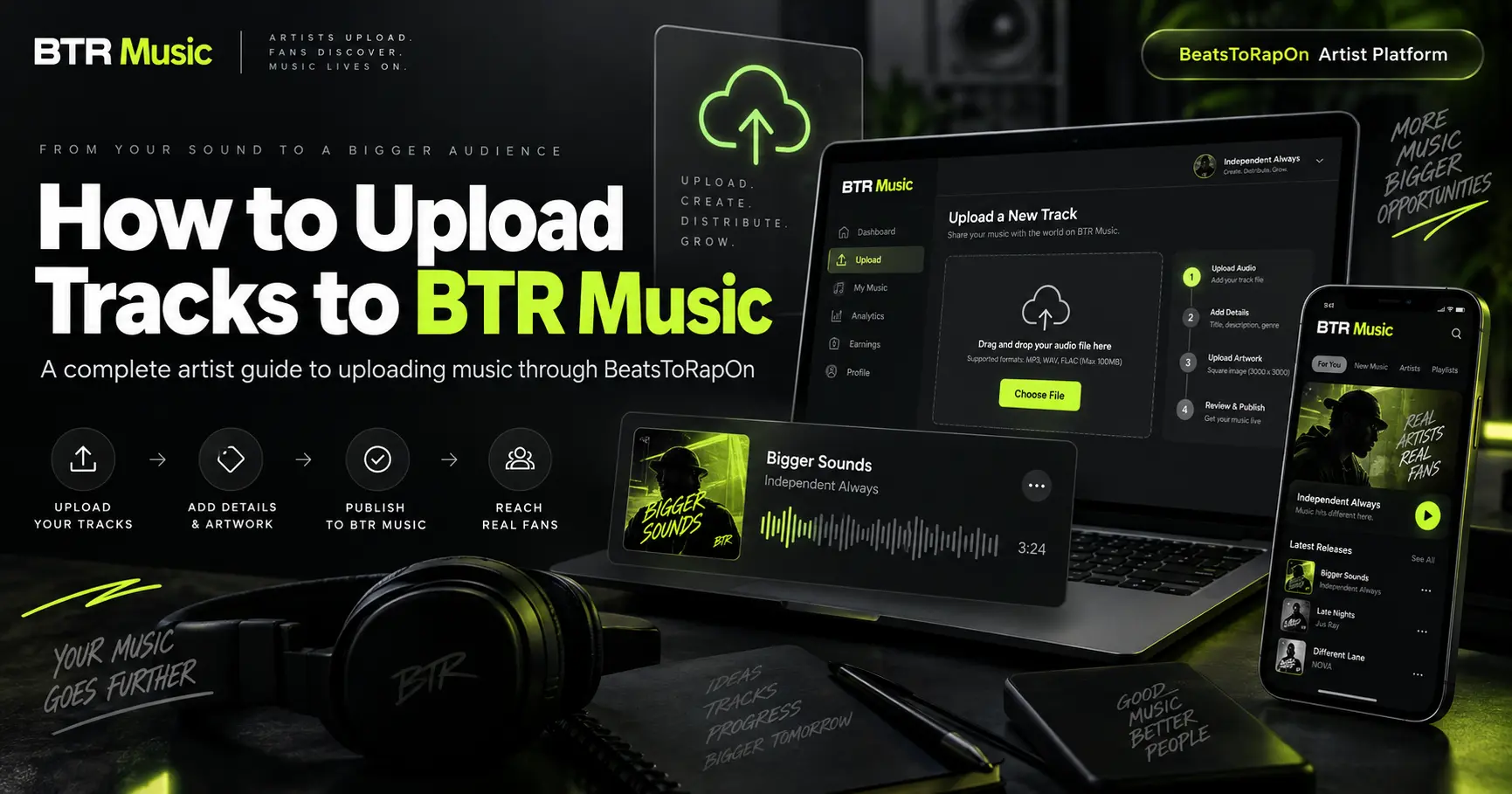
How to Upload Music to BTR Music: Complete Artist Guide for Artists
Uploading music to BTR Music starts on BeatsToRapOn.com.
That distinction is important.
BeatsToRapOn is the artist side of the BTR ecosystem. It is where you create your artist profile, upload tracks, add artwork, manage your catalogue, enter release information, view analytics and manage the business side of your account.
BTR Music is the fan-facing music app. It is where listeners discover artists, stream full tracks, explore charts and scenes, follow artists, message them and access direct fan-support features.
You do not need to maintain two separate catalogues.
Create and manage your music through BeatsToRapOn, and approved, eligible tracks can automatically become available inside BTR Music.
This guide takes you through the entire process — from creating your artist account to preparing your track properly, getting it ready for BTR Music discovery, checking the most common reasons a release may be held back, and making the most of your music after it goes live.
The Short Version: How Do You Upload Music to BTR Music?
The process is straightforward:
Create your free artist account on BeatsToRapOn, complete your artist profile, prepare your audio and artwork, upload the track through your artist workspace, add accurate genre and release information, publish the track and allow it to pass the applicable approval checks.
Once the track is approved, public, active and meets the required content standards, it can become available to listeners through BTR Music.
There is no second BTR Music catalogue upload required.
But simply getting an audio file onto the platform should not be your goal.
The stronger approach is to treat every upload like a real release.
Your cover artwork, title, genre, subgenre, artist profile, bio and metadata all help BTR understand what the track is, where it belongs and how it should be presented to listeners.
That becomes increasingly important when your music is appearing across discovery, search, genre pages, charts, battles, playlists and local music experiences inside BTR Music.
Step 1: Create Your BTR Artist Account
Start by creating an artist account on BeatsToRapOn.com.
The current artist registration process asks for three core pieces of information: your artist or creator username, your email address and a password.
Your username also forms the basis of your BTR short artist URL.
For example:
btr.ink/yourname
That gives you a clean link that can be used across Instagram, TikTok, YouTube, X, Facebook, email, messages, electronic press kits and other promotional channels.
Creating a basic artist profile is currently free and does not require a credit card. Artists also retain ownership of the music and content they upload.
There is another reason not to create an account and then leave it sitting unfinished.
New BTR artist accounts currently receive a 14-day launch window beginning when the artist joins. Tracks uploaded during that initial period can enter BTR’s new-artist priority placement window.
In practical terms: create the account when you are actually ready to start building it.
Do not open the account, disappear for two weeks, and then start thinking about your first upload.
Step 2: Complete Your Artist Profile
Before you start uploading a large catalogue, build the artist behind the music.
BTR is designed around more than isolated audio files. A listener may hear your track and immediately move to your artist profile to understand who you are.
That profile can contain your music, artist story, profile image, links, videos, Smartlinks, events and other artist information.
At minimum, take the time to add a genuine artist image and a proper artist biography.
You should also ensure your country and other required account information are correct.
Why does this matter?
Because BTR Music is built around artist discovery as much as track discovery.
A listener might encounter your music through a genre, a chart, a battle, a playlist, a local scene, search, a recommendation or another part of the app. If that listener opens your profile, the profile becomes the next part of the release.
An unfinished artist profile creates friction at exactly the moment someone has shown enough interest to learn more about you.
BTR’s current mobile eligibility guidance specifically identifies a genuine artist image, a proper bio and a complete artist presence as part of the standard artists should meet.
Think of your BTR artist profile as your digital artist headquarters rather than an account you created simply because you needed somewhere to upload an MP3.
Step 3: Prepare the Track Before Uploading
Do the preparation before opening the upload form.
You want the finished release ready so that you can enter accurate information once instead of publishing first and trying to clean everything up later.
BTR’s current upload FAQ states that the platform supports all audio formats.
That flexibility does not mean you should upload an unfinished bounce.
Use the best finished version of the record you have available.
Listen to the complete track before uploading it. Check the beginning and ending. Make sure you did not accidentally export the wrong mix, a demo version, an instrumental when you intended the vocal version, or a file with unnecessary silence.
If the song still needs work, BeatsToRapOn also provides tools for areas such as AI mastering, stem separation, vocal processing and key/BPM detection. The objective should still be the same: upload the version you are prepared to put in front of real listeners.
Step 4: Prepare Real Cover Artwork
Every serious release should have its own cover.
Do not treat artwork as an optional extra.
BTR’s current artist standards explicitly call for a custom cover image on every track. Default, missing, blank or placeholder artwork can affect discovery and eligibility.
That makes sense when you consider how people actually discover music.
In BTR Music, your track may be encountered before the listener knows anything about you. The artwork is part of that first impression.
Your cover should look intentional even when displayed at a small size on a phone.
Avoid temporary graphics such as screenshots, unfinished mock-ups, random photographs that do not belong to you or images you intend to replace later.
Upload the record as though it is already being presented to an audience.
Because it is.
Step 5: Upload Your Music Through BeatsToRapOn
Once your artist account and release assets are ready, sign into your BeatsToRapOn artist workspace and begin your track upload.
This is the side of the ecosystem where artists create and manage their catalogue.
The core release information includes the audio itself together with information such as the track title, artwork, genre, metadata and release details.
The important point is that you only create the track here once.
You are not expected to upload one copy to BeatsToRapOn and then open BTR Music and upload another copy for the mobile audience.
Your approved catalogue is connected across the ecosystem.
BTR describes the workflow simply: upload here, play everywhere within BTR. Approved tracks uploaded through the artist platform can stream in full inside BTR Music.
Step 6: Give the Track Its Real Title
Track titles matter.
Do not publish a song using the name of the file that came out of your DAW.
A title such as:
mix_final_07_MASTER_NEW.wav
might make sense inside your studio folder.
It does not belong on a public music platform.
Use the exact public title of the release and keep your naming consistent.
The same applies to spelling and artist identity.
If you already release music elsewhere, try to maintain the same artist-name spelling and track-title conventions across your catalogue.
BTR’s current guidance specifically calls for clean titles and metadata and warns against incorrect, misleading or messy track information.
A listener should be able to hear your song, remember its name and find it again.
Do not make that harder than it needs to be.
Step 7: Choose the Correct Genre
Genre selection is not just decoration.
It helps determine where your music belongs.
BTR currently supports music across a wide range of scenes including Hip-Hop/Rap, Trap, Drill, R&B & Soul, Afrobeats, Amapiano, Dancehall, Reggae, Grime, Phonk, Jersey Club, electronic genres and other specialist categories.
Choose the genre that actually represents the record.
Do not deliberately select a popular genre simply because you think it will generate more exposure.
Incorrect classification can do the opposite.
BTR states that tracks without a valid genre or subgenre may miss relevant discovery and recommendation surfaces, while misclassified music can be filtered away from the audiences it should actually reach.
If you make Afrobeats, call it Afrobeats.
If the record is Amapiano, classify it accordingly.
If it is House, Drill, R&B, Hip-Hop or Brazilian-influenced Latin music, give BTR the information it needs to understand the release.
Good metadata connects music with the right context.
Step 8: Add the Correct Subgenre Where Relevant
The primary genre gives BTR a broad classification.
A good subgenre can make that classification more precise.
That matters in an app designed around genre, subgenre, country, local scenes, charts and discovery.
A track that sits inside a specific musical movement should be labelled accurately enough for BTR to understand that context.
BTR’s current standards explicitly recommend the correct subgenre where relevant because this provides better scene and recommendation context.
Do not overthink it, but do not ignore it either.
The objective is not to invent the most complicated possible description of your music.
It is to put the record in the lane where a listener who enjoys that type of music would reasonably expect to find it.
Step 9: Complete the Release Metadata
Metadata sounds technical, but most of it is simply information describing the release.
Take it seriously.
Where the relevant fields are available, enter accurate information for the track and the people involved in making it.
BTR’s artist guidance specifically mentions credits and identifiers such as producers, writers, featured artists, ISRC and ISWC information where available. These may be optional in some circumstances, but complete professional metadata improves the quality of your catalogue.
Do not add an identifier simply because a field exists if you do not actually have one.
Accuracy matters more than filling every box.
The same principle applies to credits.
If another artist is genuinely featured on the record, credit them correctly.
If a producer or writer should be identified, use the appropriate information.
Treat the BTR version of your catalogue with the same care you would use for any professional release database.
Step 10: Decide How Fans Can Interact With the Track
A release on BTR can lead to more than a passive play.
Artists can choose whether downloads are available on individual tracks. When downloads are switched off, fans can instead be given a route to contact the artist regarding access, licensing, collaborations, features or related enquiries.
This means the way you configure a track should reflect what you actually want people to do with it.
A producer uploading an instrumental may have different objectives from a recording artist releasing a finished single.
A songwriter looking for collaborations may want a different interaction from an artist whose priority is streaming and fan growth.
Configure the track around the purpose of the release.
Step 11: Publish the Track and Make Sure It Is Active
Uploading the file is not necessarily the final step.
For ordinary listener-facing discovery, BTR’s current requirements state that a track should be approved, public and active. Hidden, moderated or otherwise unavailable tracks do not reach normal listener surfaces.
After submitting the release, check its status.
Do not assume that because an audio file successfully transferred from your computer, every part of the release is complete.
Check the artwork.
Check the title.
Check the genre.
Check the artist profile.
Check whether the track is public and available.
A five-minute review can prevent a release from sitting incorrectly configured for days or weeks.
Step 12: What Happens When Your Track Reaches BTR Music?
Once the track is approved and eligible, it can become part of the BTR Music experience.
The audio, artwork and artist identity you created on BeatsToRapOn can carry through to the fan-facing app without requiring you to build the release again.
From there, listeners can encounter music across different parts of BTR Music.
The current app includes full-track listening, discovery, playlists, Power Charts, track battles, genre and subgenre exploration, country-based movement, local scene features, events, Drop Roulette and other music discovery surfaces.
This is why upload quality matters.
The track is not simply being added to a static page.
You are supplying the information used to position that track inside a wider music ecosystem.
Step 13: Use Your First 14 Days Properly
New artists should pay particular attention to their first two weeks.
BTR currently gives new artist accounts a 14-day priority placement window, beginning from the time the artist joins.
Tracks uploaded during that period can enter the launch window.
That creates a strong reason to have your assets ready before registration.
Have your profile image.
Have your bio.
Have your artwork.
Have the master.
Know your genre.
Know your track title.
Then join and start uploading.
BTR says activity such as streams, profile views, likes and shares can begin appearing in the dashboard during the launch period, although timing and results vary according to factors including upload timing, timezone, audience fit and the release itself.
The launch window is an opportunity, not a substitute for promotion.
You should still send people to the music.
Step 14: Share Your BTR Artist Link
Once your profile and music are live, use your short BTR artist link consistently.
Your BTR shortlink is designed to give fans one clean destination instead of forcing you to send a collection of unrelated links every time somebody asks where they can hear your music.
Put it in your social profiles.
Use it in release posts.
Send it in DMs.
Add it to an electronic press kit.
Use it when contacting promoters, collaborators and media.
Put it underneath video content when you are promoting a new song.
Your artist profile can bring together your music, bio, visual identity, events, links and other parts of your artist presence in one place.
Your release strategy should not end with the upload button.
Uploading creates the destination.
Promotion gets people there.
Step 15: Check the Fan Experience Yourself
One of the easiest mistakes artists make is only looking at their music from inside the artist dashboard.
Open the fan-facing experience too.
Search for yourself.
Open your artist profile.
Find the track you just uploaded.
Look at the artwork on a phone.
Read your bio.
Check the spelling.
Ask yourself whether somebody who has never heard of you would understand what they are looking at.
Then press play.
BTR Music is designed around full-track listening rather than short teaser fragments, so the record itself remains the centre of the experience.
Your artist profile needs to be strong enough to hold the listener’s attention after the music gets them there.
Step 16: Watch Your Analytics
Uploading music without studying what happens afterwards means losing half the value of the platform.
BeatsToRapOn provides an artist dashboard, while BTR also connects web and mobile performance information across the ecosystem.
Artists can use this information to understand activity around their tracks and profiles rather than treating every release as a blind upload.
Pay attention to which tracks are receiving activity.
Watch what happens when you share a link.
Compare releases.
Look at profile engagement.
Pay attention to the countries and scenes responding to your music where those insights are available.
Then use those signals when planning the next release.
A catalogue becomes more useful when every upload teaches you something.
Step 17: Give Interested Listeners Somewhere to Go Next
BTR Music is designed so the relationship does not necessarily stop when the song finishes.
Depending on the artist, account configuration, region and currently available products, listeners may be able to follow artists, message them or support them through direct artist products.
Current BTR artist offerings include areas such as Tips, Superfans, Artist and Track Backers, personalised Shoutouts, Rewards and Vault collectibles. Eligible listening activity can also participate in BTR’s applicable streaming revenue model, subject to the relevant eligibility and payment rules.
These features should not change the fundamental objective of the upload.
The music has to make someone care first.
But when somebody does care, your profile should make it easy for that listener to take another step.
Why Isn’t My Track Appearing Properly in BTR Music?
If a release does not appear where you expect it to, do not immediately re-upload the same file.
Check the release configuration first.
BTR identifies several common issues that can affect eligibility or discovery: missing or placeholder artwork, incorrect genre or subgenre information, incomplete artist profiles, misleading or poor metadata, and tracks that are not approved, public or active.
Free-account catalogue limits may also apply. According to the current BTR guidance, tracks above an applicable free-account limit may be hidden rather than deleted, with existing engagement data preserved.
Fix the underlying issue instead of creating duplicate releases.
Your Pre-Publish BTR Upload Checklist
Before you consider a BTR release finished, check the following:
- Your artist name is correct and consistent; your artist profile has a genuine image, useful bio and correct country information; the final audio file is the version you actually want listeners to hear; the track has genuine custom cover artwork; the public track title is correct; the primary genre accurately represents the music; the correct subgenre has been selected where relevant; release metadata and credits are accurate; identifiers such as ISRC or ISWC are entered only where applicable and known; your preferred download/contact settings are configured; the track has been submitted for the applicable approval process; the track is public and active once approved; you have checked how the finished track and artist profile look from the fan side; and you are actively sharing your BTR artist or track link rather than expecting the upload alone to create an audience.
Should You Upload One Track or Your Whole Catalogue?
If you already have released music, BTR recommends getting your whole catalogue ready rather than treating the platform as somewhere to park a single song.
There is a strategic reason for that.
Imagine somebody discovers one of your tracks and likes it.
Their next action may be to open your profile.
If they arrive to find one song and an unfinished artist page, there is not much more for them to explore.
If they arrive to find a genuine profile, multiple strong releases, proper artwork, accurate genres, videos, links and your wider artist world, you have created another opportunity for that listener to stay.
Catalogues create depth.
Depth creates more reasons to keep listening.
Can I Upload Music to BTR for Free?
BTR currently offers a free artist profile that includes music uploads, a public artist page, a BTR short sharing URL, automatic publishing of approved tracks into BTR Music, basic analytics and access to the initial new-artist launch window.
No credit card is required to create the free artist profile.
BTR also offers Artist Pro for artists who want additional features such as expanded catalogue capacity, enhanced branding, advanced analytics, Email Studio, additional promotional tools, preferential placement and other Pro features.
You do not need Artist Pro simply to establish an artist profile and begin uploading music.
Do I Keep Ownership of Music I Upload to BTR?
Yes.
BTR’s current artist FAQ states that artists retain ownership of their music, beats, artwork, videos and creator identity.
Uploading content gives the platform the permissions necessary to operate the service and display approved public-facing content across the connected BTR ecosystem, but BTR does not claim ownership of the artist’s music.
As with any platform, artists should read the current Terms, Privacy Policy and Payment Terms themselves before publishing content or participating in monetisation.
Do I Have to Upload My Music Again to BTR Music?
No.
This is one of the most important things to understand about the system.
BeatsToRapOn is where artists create and manage their catalogue. BTR Music is where fans consume and interact with that catalogue.
Approved tracks created through BeatsToRapOn can become available automatically in BTR Music.
There is no second BTR Music catalogue that you need to manually maintain.
Upload once.
Build the artist properly.
Then use BTR Music as the fan-facing destination.
What Makes a Strong BTR Upload?
Technically, an upload is an audio file plus information.
Strategically, a strong upload is much more.
It is a finished record.
A real cover.
A memorable title.
Accurate metadata.
The right genre.
A complete artist profile.
A public release people can actually find.
And a link you are prepared to push.
That difference matters because discovery platforms need signals.
The better you describe and present your music, the better chance the platform has of understanding what it is and putting it into the right context.
The stronger your profile looks when a listener arrives, the better chance you have of turning a track play into interest in the artist.
Upload the Track. Build the Artist. Push the Link.
The upload button is the beginning of the process, not the end.
BTR connects the artist workspace on BeatsToRapOn with the fan experience inside BTR Music so artists can manage their music from one catalogue while listeners discover it through a dedicated music app.
For artists, the workflow is simple:
Finish the record.
Create the artist profile.
Upload the track.
Use genuine artwork.
Classify the music accurately.
Complete the metadata.
Get the track approved and live.
Check it from the listener’s perspective.
Then start sending people to it.
Because putting music online is easy.
Building somewhere worth sending the listener is the part that matters.
Ready to upload? Create your artist profile on BeatsToRapOn and start building your BTR catalogue.
Already uploaded? Open BTR Music and look at your artist presence the way a new listener sees it.