
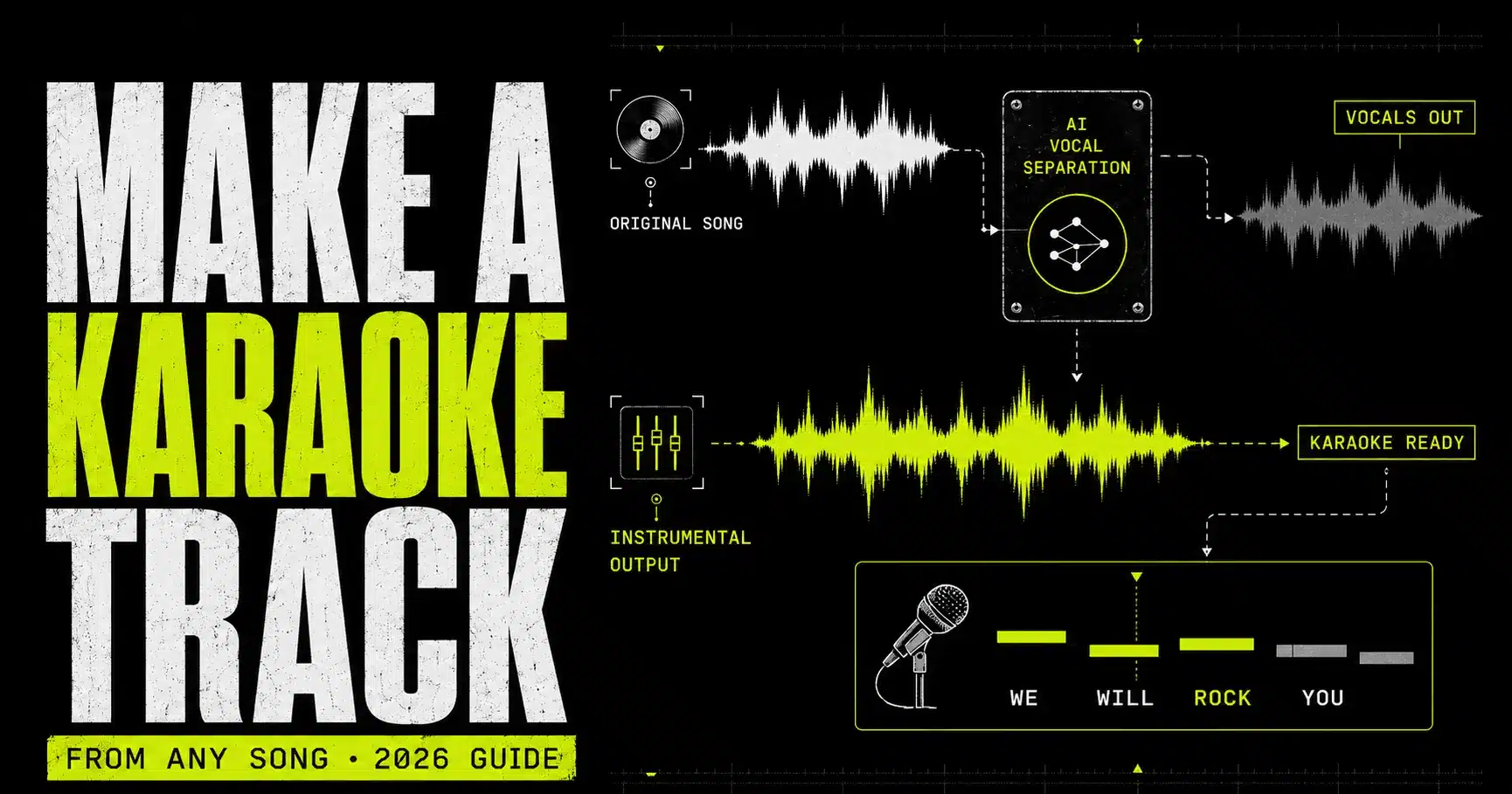
How to make a karaoke track from any song.
Turn a finished song into a singable backing track, then add synced lyrics, choose the right key and export it for rehearsal, a party, a video or the stage. This guide separates what works from what merely makes the original vocal quieter.
Upload the cleanest copy of your song to an AI vocal remover, download the instrumental, inspect the loudest chorus for vocal bleed, repair only the obvious artifacts, then add timed lyrics and export a lossless audio master plus the delivery format you need.
Start with vocals + instrumental. Use more stems only when the backing needs repair.
A karaoke track is more than “no vocals.”
A finished karaoke asset can contain up to four separate components: the backing audio, lyric timing, visual presentation and performance cues. Decide which ones you need before you start editing.
The instrumental is the foundation. It keeps the drums, bass, harmony and arrangement while reducing or removing the original lead vocal. A basic audio-only track may be enough for private practice. A karaoke video also needs readable, synchronised lyrics. A live performance file may need a count-in, key change, guide cues and a reliable ending.
No vocal remover can promise a perfect result from literally every mix. Lead vocals, backing voices, reverb, guitars, synths and cymbals often occupy the same frequencies and stereo space. Modern source separation estimates the hidden parts; it does not retrieve original studio stems that were never supplied.
Backing
The instrumental performance without the original lead vocal.
Lyrics
Accurate words split into readable lines and timed to the vocal entry.
Visuals
Contrast, highlighting and safe placement for a screen or video.
Cues
Count-ins, key changes, pickups and endings that support the singer.
Instrumental, karaoke version and backing track: what is the difference?
| Term | Usually means | May include | Best use |
|---|---|---|---|
| Instrumental | The music without the lead vocal | Backing vocals, ad-libs or no guide cues | Listening, remixing, practice |
| Karaoke track | An instrumental prepared for a singer | Synced lyrics, count-in, key change, guide melody | Sing-alongs, venues, video |
| Backing track | Pre-recorded accompaniment for a live performer | Click, cues, backing vocals or additional production | Rehearsal and stage performance |
| Minus-one | A mix with one featured part removed | Everything except voice, guitar, drums or another part | Music practice and auditions |
Apple’s Music Sing is useful context: it offers adjustable vocals and real-time lyrics across millions of songs, but its control changes vocal level inside Apple Music rather than exporting a new backing-track file.[9] If you need an actual file for editing, rehearsal or video production, create and export the instrumental yourself.
Six ways to make a karaoke version.
AI separation is the most practical starting point for a finished commercial mix. Other methods can outperform it when you possess better source material or need a legally clean re-recording.
| Method | Best situation | Control | Main weakness |
|---|---|---|---|
| AI two-stem remover | Fastest karaoke instrumental | Vocal + instrumental | Some bleed or backing loss can remain |
| AI multi-stem splitter | Backing needs repair or rebalance | Vocals, drums, bass and instruments | More files and mixing decisions |
| DAW stem separation | You already edit in a compatible DAW | Varies by application | Software and hardware requirements vary |
| Exact phase cancellation | You have the matching official instrumental | Potentially very precise | Fails if masters, timing or gain differ |
| Centre-channel reduction | Old editor and simple centred vocal | Low | Also removes centred kick, bass and snare |
| Re-record the arrangement | Commercial-quality custom backing | Maximum musical control | Time, skill, cost and composition rights |
1. AI vocal remover: the default choice
A two-stem model estimates the song as vocals plus accompaniment. It is ideal when the desired output is simply “the same song without the singer.” BTR’s AI Vocal Remover accepts common formats including MP3, WAV, FLAC, AAC and M4A, then provides vocal and instrumental outputs for preview and download.
2. AI stem splitter: the repairable choice
If vocal removal damages the bass, drums or harmony, separate the mix more deeply. The BTR AI Stem Splitter offers four- and six-stem workflows, including vocals, drums, bass, guitar, piano and other instruments. Recombine everything except the vocal, then rebalance or replace any damaged part.
3. Built-in DAW separation
Some DAWs now integrate source separation directly into a project. This can be convenient because the extracted regions land on editable tracks. The quality ceiling is still set by the mix, while availability depends on the software version and hardware. Browser processing is simpler when you only need an instrumental file.
4. Exact phase cancellation
When you own the released full mix and the exact instrumental used to create it, align them sample-accurately, match gain, invert the polarity of one and sum them. Shared information can cancel, leaving the difference—often the vocal. This is not the same as “removing the centre.” A one-sample offset, alternate limiter, different encode or revised master can prevent clean cancellation.
5. Centre-channel reduction
Older karaoke effects subtract information common to the left and right channels because many lead vocals are mixed near the centre. The method cannot distinguish a centred singer from a centred kick, snare, bass or lead instrument. Stereo doubles, reverb and delay often survive. Use it only when AI processing is unavailable or when the mix happens to suit it.
6. Re-record the music
A producer can rebuild the arrangement using new performances and instruments. This avoids source-separation artifacts and allows a custom key, length and arrangement. It does not remove the need to clear the underlying composition, lyrics or public use. It is the highest-control route, not the fastest.
How to make a karaoke track in eight steps.
This route creates an audio backing track first. Lyric video instructions follow in a separate section so the audio can be approved before hours are spent timing text.
Choose a legitimate, high-quality source
Start with the cleanest file you are authorised to use. WAV or FLAC preserves the source without additional lossy encoding. A high-quality MP3 or M4A can still work; a screen recording, speaker capture or repeatedly converted file gives the model less reliable information.
- Use the full song, not a social-media excerpt.
- Avoid normalising, clipping or limiting the file again.
- Do not convert an MP3 to WAV expecting lost detail to return.
Separate vocals and instrumental
Open the BTR AI Vocal Remover, choose the audio file and start processing. The goal is two synchronised outputs: an isolated vocal and the accompaniment. Keep the browser tab open during upload and processing.
Preview the hardest sections
Do not approve the result after listening to the intro. Check the first vocal entry, the loudest chorus, backing-vocal stacks, a quiet verse, exposed breakdowns and the final reverb tail. Use headphones first, then ordinary speakers.
- Listen for words: lead phrases, ad-libs, doubles and harmony residue.
- Listen for missing music: snare attack, bass notes, guitars or synths pulled into the vocal stem.
- Check stability: warbling ambience, pumping or a hollow stereo image.
Download the instrumental and vocal
Download the instrumental for the karaoke track. Save the vocal too, even if you do not plan to use it. The vocal output helps identify where missing instruments went, locate lyric entrances and compare timing later. Keep both files at their original full length.
Repair only the audible problems
Import the instrumental into a DAW or editor. Use volume automation to reduce isolated vocal fragments during exposed gaps. Add short crossfades around edits. If a small artifact is covered once the new singer performs, leave it alone; aggressive EQ and denoising can make the backing thinner than the artifact itself.
Choose the singer’s key before timing lyrics
Detect the original key and BPM with BTR’s Song Key & BPM Finder. Test the highest and lowest phrases with the actual singer. If the key changes, transpose the finished instrumental before synchronising lyrics so the timing and final audio remain locked.
Add a count-in, lyrics and performance cues
For audio-only rehearsal, a one- or two-bar count-in may be enough. For karaoke video, transcribe or license the lyrics, split them into singable lines, and time each line to appear before its first syllable. Mark instrumental sections and pickups clearly.
Export a master and test the whole performance
Keep a WAV master for future edits. Export a compressed copy only when the playback device, video platform or delivery channel requires it. Sing the entire song from the final file and on the final playback system. Confirm the first cue, key, lyric timing, level and ending.
- Name clearly: SongTitle_KARAOKE_Key-WAV.wav.
- Leave sensible headroom for a live singer and PA.
- Carry a backup copy on a second device for live use.
Build a cleaner backing from multiple stems.
A multi-stem split will not magically recreate the original multitrack session, but it gives you separate controls for the parts most likely to be damaged by vocal removal.
Split the source into vocals, drums, bass and instruments—or into a six-stem arrangement when guitar, piano and other parts need independent treatment. Import every output at the same start time. Mute the vocal stem, then compare the remaining sum with the two-stem instrumental at equal loudness.
Drums
Protect impact, timing and cymbal detail; replace only damaged hits if necessary.
Bass
Restore weight lost where vocal fundamentals and bass notes overlapped.
Harmony
Balance guitar, piano and other parts without making the track feel hollow.
Vocals
Mute the lead, or retain selected backing phrases only when appropriate.
A practical hybrid repair
The cleanest result may use parts of both jobs. Keep the two-stem instrumental as the base. Place the separate drum and bass stems underneath only where the base loses impact. Align every file from time zero, check polarity and avoid running them together at full level across the entire song; duplicated estimates can produce comb filtering or excessive low end.
- Import all stems together. Never trim their fronts independently.
- Level-match comparisons. Louder nearly always sounds “better” in a quick test.
- Mute first, then rebuild. Add parts until the backing matches the musical energy of the original.
- Automate by section. A chorus may need different repair than a sparse verse.
- Check mono. Stereo tricks can hide phase problems until the file reaches a PA.
- Render once. Keep a lossless session and avoid repeated lossy exports.
If you also want to reuse the extracted vocal creatively, the same files can feed a mashup or remix. Keep that project separate from the karaoke master so experimental processing cannot damage the performance version.
Why some songs make better karaoke tracks.
Separation quality depends on more than file extension. The arrangement, vocal effects, mastering and encoding determine how much evidence the model has for each hidden source.
| Source feature | Usually easier | Usually harder | What to do |
|---|---|---|---|
| Encoding | Original WAV or FLAC | Low-bitrate or repeated MP3/AAC conversion | Return to the cleanest legitimate source |
| Lead vocal | Clear, stable, mostly centred voice | Wide doubles, distortion and dense stacks | Try multi-stem separation and automation |
| Vocal effects | Short controlled ambience | Long reverb, delays and chorus | Reduce exposed tails by section, not globally |
| Arrangement | Space around the vocal | Guitars, strings or synths masking every phrase | Rebuild from more stems |
| Mastering | Clean dynamics and limited clipping | Heavy limiting, clipping and saturation | Avoid further limiting before separation |
| Backing vocals | Clearly distinct from lead | Choirs and harmonies spread across stereo field | Decide whether to keep them; automate exposed words |
WAV versus MP3: what actually changes?
WAV and FLAC can preserve the full decoded signal without perceptual data removal. MP3 and AAC discard information according to psychoacoustic models. A good encode may still separate well, but audible swirls, softened transients and high-frequency smearing can make source boundaries less stable. The practical rule is simple: use lossless when you genuinely have it; otherwise use the highest-quality original file available.
Converting a compressed file to WAV does not improve its source quality. It creates an uncompressed container around the already-decoded audio. The missing detail remains missing. Likewise, downloading or recording a streamed song can introduce another generation of conversion and may breach the service’s terms or the owner’s rights.
Why reverb is often the last “voice” left behind
Dry lead vocal may be centred and recognisable, while its reverb and delay spread across time, frequency and the stereo field. Those effects resemble part of the surrounding instrumental ambience, so a separator may place some of them in the accompaniment. Reduce an exposed tail with automation only when it distracts. In a room with a new singer, small remnants are often masked naturally.
How to add synced lyrics and make a video.
Good karaoke lyrics tell the singer what is coming before they need to sing it. Accuracy, anticipation and contrast matter more than elaborate animation.
Prepare accurate lyric text
Use text you wrote, have licensed or are otherwise authorised to reproduce. Check repeated choruses instead of assuming they are identical. Preserve meaningful contractions, backing responses and language marks. Decide whether ad-libs are essential or distracting.
Split words into singable lines
A line should fit comfortably on the target screen and represent one musical phrase. Avoid placing half a phrase on a new screen merely to keep visual symmetry. Two short lines are usually easier to scan than one long sentence.
Mark the vocal entrances
Use the isolated vocal as a timing reference. Place markers at each phrase start, pickup and sustained final word. For line-by-line karaoke, bring the next line on screen roughly one musical beat before the singer enters. For word-level highlighting, align the highlight with the syllable, not the written word boundary.
Design for the worst screen
Use large type, strong contrast and a safe margin from every edge. Test on a phone, television and projected image if those destinations matter. Never communicate the current line using colour alone; position, highlight weight or a progress treatment should reinforce it.
Label instrumental gaps
Show “[instrumental]”, a countdown or a simple progress cue during long breaks. Mark duets, spoken parts and key changes. An eight-bar silence without context feels like a technical failure to a nervous performer.
Export and watch without singing
Review once as a singer and once as an operator. Confirm that every line appears early enough, stays visible long enough and disappears without covering the next phrase. Check audio-video synchronisation after the final encode, not only inside the editor.
Recommended karaoke video layout
Next line
Show the upcoming lyric in a quieter state so the singer can prepare.
Current line
Use the highest contrast and a clear progress or highlight treatment.
Cue bar
Reserve space for count-ins, instrumental breaks, duet names and key changes.
Rights reminder: lyrics are part of the musical work, not free interface text. Publishing them in a karaoke video can require permission even when the backing audio is newly created. See the copyright section below.
Change the key and tempo without wrecking the track.
The “correct” karaoke key is the one the performer can sing consistently, not automatically the key of the original record.
Use the Song Key & BPM Finder to establish a starting point. Ask the singer to perform the highest chorus and the lowest verse over the actual backing. Move in semitone steps. A change of one or two semitones can be enough; a large shift may make drums, cymbals and formants sound unnatural.
| Problem | Adjustment | Check immediately | Risk |
|---|---|---|---|
| Chorus is too high | Transpose down 1–3 semitones | Lowest verse notes | Low instruments may become muddy |
| Verse is too low | Transpose up 1–3 semitones | Highest chorus note | Cymbals and ambience may sharpen |
| Singer rushes | Reduce tempo slightly | Natural phrase endings | Time-stretch artifacts on transients |
| Song drags live | Increase tempo slightly | Breath points and fast lyrics | Less room for difficult phrases |
| Large key shift needed | Rebuild or re-record backing | Instrument tone and vocal comfort | Separated artifacts become more obvious |
Pitch shift first or separate first?
For most jobs, separate the clean original first, then transpose the instrumental once. Pitch-shifting before separation changes the spectral cues available to the model; shifting both before and after adds unnecessary processing. If a large transpose reveals artifacts, test both orders and use the better result rather than relying on a universal rule.
Keep the arrangement locked
When changing tempo, process the final backing as one file unless you deliberately need independent stem control. If separate stems are time-stretched with different settings, transients can drift and ambience can stop lining up. Render the chosen key and tempo before final lyric timing, then lock the audio.
Mix, master and export for the real room.
A backing track that sounds impressive in headphones can fail on a television, Bluetooth speaker or venue PA. Build for the destination and keep a clean master.
- Leave headroom. Do not chase the loudness of the original master when a live microphone must sit over it.
- Protect the low end. Check bass and kick in mono, especially after combining multiple estimates.
- Keep a count-in optional. Make one stage version with it and one general karaoke version without it.
- Use gentle fades. Preserve the song’s intended ending unless the performance needs a defined cut.
- Test the first second. Some playback systems clip an immediate entrance or add Bluetooth latency.
- Back up locally. Do not depend on venue Wi-Fi or one cloud account during a show.
Export settings by destination
| Destination | Master | Delivery copy | Extra check |
|---|---|---|---|
| DAW or future editing | WAV, original sample rate | None required | Preserve full-length timing |
| Live performance | WAV | WAV or device-supported lossless file | Test on the actual playback rig |
| Karaoke video | WAV audio master | High-quality audio inside final video | Check sync after encoding |
| Phone or casual party | WAV archive | High-quality MP3 or AAC | Confirm offline playback |
| Venue library | WAV archive | Format specified by the system | Use searchable artist/title/key metadata |
Phone, browser or computer?
Separate
Use the browser to upload and preview. Headphones help reveal vocal residue that phone speakers hide.
Edit
Use a DAW or video editor for automation, key changes, timed lyrics and final export.
Test
Play the exact delivery file through the actual system and sing the entire arrangement.
Source separation has benchmarks—not guarantees.
The research shows dramatic model progress, but it also explains why one headline score cannot tell you whether a particular chorus will sound clean.
The dataset behind many separation claims
MUSDB18-HQ contains 150 full-length stereo songs: 100 in its training partition and 50 in its test partition. Each 44.1 kHz WAV song includes the mixture plus four source groups—drums, bass, vocals and “other.” Its maintainers describe source separation and karaoke among the dataset’s uses.[1] The collection is influential, but 50 hidden test songs cannot represent every production style, language, mix density or vocal effect a user may upload.
How model results moved
Open-Unmix and Spleeter helped establish accessible, reproducible systems for music source separation in 2019 and 2020.[2][3] Later hybrid systems combined waveform and spectrogram processing. A 2021 study reported a 1.4 dB average SDR improvement over its non-hybrid baseline on MUSDB-HQ and higher listener ratings for both overall quality and absence of contamination.[6]
Hybrid Transformer Demucs reported 9.20 dB average SDR on MUSDB when trained with 800 additional songs.[4] A smaller BS-RoFormer reported 9.80 dB average SDR on MUSDB18-HQ without extra training songs, while a larger system trained with 500 additional songs ranked first in the SDX23 music-separation track.[5]
| Published result | Reported data | What it supports | Why not compare blindly |
|---|---|---|---|
| Hybrid model study | +1.4 dB average SDR over non-hybrid baseline | Combining domains improved objective results | Model, dataset and baseline are study-specific |
| HT Demucs | 9.20 dB average SDR | Strong four-source benchmark result | Used 800 extra training songs |
| BS-RoFormer | 9.80 dB average SDR | Strong MUSDB18-HQ result without extra songs for the smaller model | Architecture, evaluation and source averaging differ |
| 2025 listener study | About 30 ratings per track across seven listener groups | Metric usefulness differs by source | No single metric predicted every perceptual outcome |
Important: these are results reported by separate research teams under their stated conditions. They are not BTR product accuracy claims, and they should not be treated as a direct leaderboard unless datasets, training data, source definitions and evaluation code match.
What does SDR mean?
Signal-to-distortion ratio is an objective measure used to compare an estimated source with a known reference source. Higher is generally better under the same evaluation setup. But the karaoke listener cares about specific failures: a recognisable word left in the chorus, a missing snare transient or an unnatural reverb tail. An average score can hide those local problems.
A 2025 preprint studying about 30 ratings per track across seven listener groups found that SDR best predicted listener ratings for vocals, while other measures were more informative for drums and bass. It found no tested embedding metric that correlated positively with human perception for vocal estimates.[7] An ISMIR 2025 study likewise argued that averaged separation metrics can obscure distribution differences and task-specific failure cases.[8]
The benchmark chooses a model. Your ears approve the song.
A defensible listening test
- Compare outputs at matched loudness; do not reward the louder file.
- Test at least one loud chorus, quiet verse, vocal stack and exposed instrumental gap.
- Listen to the instrumental alone and underneath a new singer.
- Check headphones, mono playback and the intended speaker system.
- Write down the failure before processing: “word remains at 1:42” is actionable; “sounds AI” is not.
Making the file does not clear the rights.
Vocal removal changes audio. It does not grant ownership of the song, recording or lyrics.
Check three layers.
1. Sound recording: the particular recorded performance and production. 2. Musical work: the melody, rhythm, harmony and accompanying lyrics. 3. Presentation and use: reproducing lyrics, synchronising music to video, distributing a file, streaming it or performing it publicly can involve additional permissions.
The U.S. Copyright Office explicitly treats a musical composition and a sound recording as separate works. It defines the musical work as music—including accompanying words—and the sound recording as a particular recorded performance.[10] Removing the singer from a commercial master can still leave protected material from both works.
Fair use is case-specific. The Copyright Office says there is no fixed percentage or number of notes that is automatically safe, and recommends permission when in doubt.[11] Rules, licences and exceptions differ by country, venue, platform, audience and commercial purpose.
Private practice versus public use
| Planned use | Questions to resolve | Low-risk starting point |
|---|---|---|
| Private home practice | Was the source acquired and used lawfully? | Use your own lawful copy and keep the result private |
| Public karaoke venue | Does the venue hold required performance and karaoke permissions? | Use authorised karaoke catalogues and confirm venue coverage |
| Online karaoke video | Recording, composition, lyric reproduction and sync rights | Use owned or specifically licensed material |
| Commercial backing-track sale | Composition, arrangement, reproduction, distribution and branding | Obtain written licences and professional advice |
| Cover performance | Venue/platform rules and territory-specific licences | Confirm the rules before recording or broadcasting |
Practical rule: create karaoke tracks from music you wrote, recorded and control; material commissioned with sufficient written rights; public-domain material using a recording you also control; or music specifically licensed for the intended karaoke use. For a public, monetised or commercial project, obtain advice for the actual jurisdiction and distribution plan.
General information only: this section is not legal advice and does not determine whether a specific use is permitted.
Why your karaoke track sounds wrong.
Name the audible problem first. Each failure has a different repair, and broad processing often creates a second problem.
01 Lead words remain
Wide doubles, ad-libs or effects were grouped with the music. Try a multi-stem split, then automate only the exposed phrases.
02 Backing vocals vanish
The system correctly treated them as vocals. Use the isolated vocal stem selectively, or accept a lead-free version without the original harmonies.
03 Drums lost impact
Snare and cymbal energy overlapped the vocal. Layer the drum estimate from a multi-stem job or replace a few damaged hits.
04 Backing sounds watery
Lossy encoding, reverb and dense overlap created unstable detail. Return to a better source and avoid aggressive denoising.
05 Chorus feels empty
Large vocal stacks occupied much of the arrangement. Rebuild from individual stems, or re-record missing harmony parts.
06 Key change sounds artificial
The transpose is too large or the algorithm is exposing artifacts. Reduce the shift, test formant controls or re-record the backing.
07 Lyrics feel late
The line appears at the first syllable instead of before it, or the final video encode drifted. Advance the cue and check the rendered file.
08 Live playback clips
The backing was mastered too hot for the playback chain. Lower the file level, leave headroom and test with the microphone active.
When to stop repairing and choose another route
Stop when every repair removes more music than vocal. Try a different source file, a multi-stem model, the exact official instrumental, or a fresh re-recording. A busy party track may tolerate light residue; an exposed piano ballad for a professional vocalist may not. The destination decides the threshold.
Karaoke track FAQ.
Short answers to the questions people ask before turning a song into karaoke.
What is the easiest way to make a karaoke track from a song?
Upload the cleanest authorised copy to an AI vocal remover, download the instrumental, preview difficult sections, repair obvious vocal bleed, then add lyrics or performance cues if needed.
Can I make a karaoke version of any song?
You can attempt separation on most finished songs, but no method guarantees a clean result from every mix. You must also have the rights required for your intended private, public or commercial use.
Can I make a karaoke track for free?
BTR lets you test vocal separation in a browser without installing production software. Current limits and access options are shown on the Vocal Remover page.
What is the best file format for making karaoke?
Use a genuine WAV or FLAC source when available. A high-quality MP3 or M4A can work, but converting a compressed file to WAV does not restore discarded detail.
Why can I still hear vocals in the instrumental?
Backing vocals, stereo doubles, reverb and delay can overlap the music and remain in the accompaniment estimate. Try multi-stem separation and automate only the exposed phrases.
How do I keep backing vocals but remove the lead singer?
Separate the vocal stem, then selectively return backing-vocal phrases with automation. Perfect lead/backing separation is not guaranteed because both are voices and may overlap.
Can I make a karaoke track on an iPhone or Android phone?
Yes. Use a modern browser to upload, process, preview and download the instrumental. A computer is more convenient for detailed repairs, key changes and synced lyric video.
What is the difference between a vocal remover and a stem splitter?
A vocal remover creates vocals and instrumental. A stem splitter can also separate drums, bass, guitar, piano and other instruments for deeper control over the backing.
How do I change the karaoke track to my key?
Find the original key, test the highest and lowest phrases with the singer, then transpose in semitone steps. Render the chosen key before final lyric timing.
How do I add lyrics to a karaoke song?
Prepare authorised and accurate lyric text, split it into singable lines, mark phrase entrances using the isolated vocal, then display each line before the singer needs it. Check synchronisation after final video export.
Is it legal to make karaoke tracks from copyrighted songs?
Creating a file does not grant rights to publish, sell, perform or synchronise the recording, composition or lyrics. Rules vary by use and jurisdiction; use material you control or have licensed and get advice for public or commercial use.
What should I export for live karaoke?
Keep a lossless WAV master and create the format required by the playback system. Leave headroom, test with the microphone and PA, confirm the ending, and keep an offline backup.
Evidence and primary sources
- Rafii et al., MUSDB18-HQ audio source separation dataset — 150 full-length 44.1 kHz stereo WAV songs, 100 training and 50 test, with mixture, drums, bass, vocals and other sources.
- Stöter et al., Open-Unmix, Journal of Open Source Software (2019) — open-source reference implementation for music source separation.
- Hennequin et al., Spleeter, Journal of Open Source Software (2020) — fast music source separation with pre-trained models.
- Rouard, Massa and Défossez, Hybrid Transformers for Music Source Separation (2022) — HT Demucs architecture and reported 9.20 dB SDR with extra training data.
- Lu et al., Music Source Separation with Band-Split RoPE Transformer (2023) — reported MUSDB18-HQ and SDX23 results for BS-RoFormer systems.
- Défossez, Hybrid Spectrogram and Waveform Source Separation (2021) — objective and human-listening results for hybrid separation.
- Sutcliffe et al., Evaluating Music Source Separation: Theoretical and Practical Considerations (2025 preprint) — listener ratings and source-dependent metric findings.
- Manilow et al., Looking Beyond Averaged Metrics in Music Source Separation, ISMIR 2025 — analysis of distribution-level and perceptual evaluation.
- Apple iPhone User Guide: Sing along with Apple Music and Apple Music Sing announcement — adjustable vocal level and real-time lyrics.
- U.S. Copyright Office: Musical compositions and sound recordings — explains the two distinct works.
- U.S. Copyright Office Fair Use Index and Fair Use FAQ — case-specific four-factor analysis and no fixed safe percentage.
- BeatsToRapOn AI Vocal Remover and AI Stem Splitter — current supported workflows, formats and output options.