
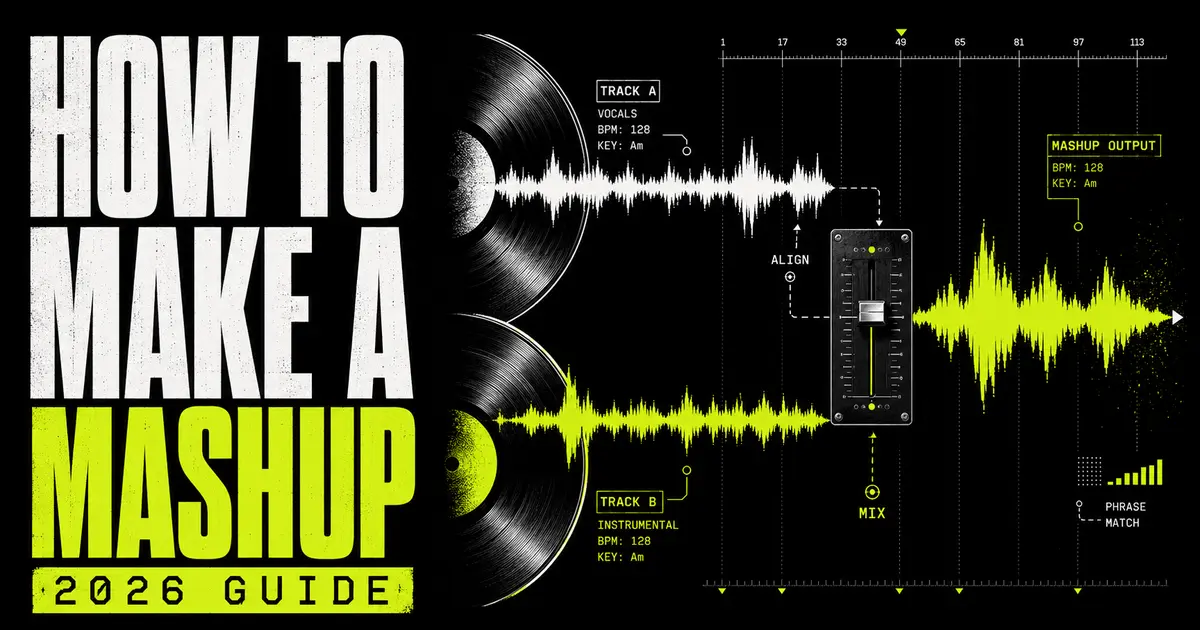
Mashup workflow · match → split → arrange
How to make a mashup in 2026.
A complete workflow for combining the vocal from one song with the production from another: choose compatible records, match key and BPM, extract clean stems, lock the phrasing, arrange the payoff, mix the collision and understand the rights before release.
To make a mashup, choose two songs with compatible tempo, key, phrasing and mood. Isolate the vocal from Song A and the instrumental or useful stems from Song B, set a target BPM, align the first downbeats, transpose only when needed, then edit the sections so the vocal lands naturally over the new harmony and arrangement.
One vocal, another production, one coherent new record
What is a song mashup—and what is it not?
A music mashup combines recognizable material from two or more existing recordings into one new piece. The classic A-versus-B format places the vocal from one song over the instrumental from another, but modern mashups may trade drums, bass, hooks, riffs and transitions across several sources.
The quality test is not whether two famous songs play at once. It is whether they feel as though they were written to occupy the same record. The vocal rhythm must lock to the new groove, its melody must survive the new harmony, and the arrangement must create a payoff instead of sounding like two browser tabs playing together.
Mashup
Combines substantial elements from two or more existing recordings.
Remix
Reworks one source song into a meaningfully different production or arrangement.
Medley
Performs or sequences several songs, usually one after another rather than layered.
DJ blend
Transitions or overlaps finished tracks in a set, often without creating a fixed new master.
A good mashup is not two songs at once. It is one idea made from two memories.
How to make a mashup in eight steps.
This process works in FL Studio, Ableton Live, Logic Pro or any DAW that can import, stretch, pitch and arrange audio. The software changes; the musical logic stays the same.
Choose
Give each source one clear role.
Analyze
Find key, BPM, downbeat and phrasing.
Split
Extract only the stems the idea needs.
Target
Select one tempo and tonal center.
Align
Lock downbeats, bars and vocal entries.
Arrange
Create reveal, contrast and payoff.
Mix
Clear space and repair artifacts.
Export
Test, master and handle permission.
Choose two songs and assign their roles
Start with a simple sentence: “The vocal from Song A will sit over the instrumental from Song B.” That is enough for a first mashup. Later you can replace Song B’s drums with Song C or introduce a hook from Song D, but every additional source increases the number of tempo, key, phrasing and rights problems you must solve.
Pick a vocal with a clear rhythmic identity and an instrumental with enough space to carry it. If both sources are dense, busy and hook-heavy, neither will know when to move out of the way.
Find the key, BPM, downbeat and phrase length
Analyze both full songs before you split them. Record the detected key and BPM, then confirm the result by ear. Mark the true first downbeat, not merely the first sound in the file. Count how the vocal sections enter: after a pickup, on beat one, halfway through a bar, or across the bar line.
Use the BTR Song Key & BPM Finder for both values, or the free BPM analyzer for a focused tempo check.
Separate the songs into usable stems
Extract the vocal from Song A and, at minimum, the instrumental from Song B. A 4-stem split gives you vocals, drums, bass and other instruments, which is useful when the original bass clashes with the vocal’s harmony or the drums need to be replaced. A 6-stem split adds guitar and piano control for more detailed arrangement surgery.
Upload the highest-quality legitimate source available. Lossless WAV or FLAC gives the separator more information than a heavily compressed file, especially around cymbals, sibilance and reverb.
Choose the target tempo and key
Let one song be the anchor. For a vocal-over-instrumental mashup, the instrumental’s groove often makes the most practical target tempo. Stretch the vocal to that BPM and transpose the source that needs the smallest convincing tonal move.
Do not trust compatibility rules blindly. Same key, relative major/minor and closely related keys are efficient places to audition, but the actual vocal melody may still hit notes that fight the new chords. Loop the most exposed chorus line and listen before committing.
Align the musical grid and the vocal phrasing
Place every stem from a source at the same timeline start so they remain phase-aligned. Find the first clean downbeat in each song, set or verify the tempo metadata, then warp or stretch the material to the project grid.
After the bars line up, move the vocal as a phrase—not as isolated words—until its breaths, pickups and stressed syllables feel intentional against the new drums. Beat-matched is not the same as phrased correctly.
Build a complete arrangement
Prove the central combination in an eight- or sixteen-bar hook, then build the path into and out of it. Reveal the sources gradually. Tease a vocal line over filtered drums, drop into the full instrumental at the chorus, switch to a recognizable riff for the bridge, and leave room for the final payoff to feel larger than the preview.
Cut sections that only exist because they were present in the originals. The mashup needs its own structure.
Mix the sources into one record
Begin with level and arrangement. If the vocal is masked, remove or automate competing instruments before boosting high frequencies. High-pass non-bass elements where appropriate, choose one low-end foundation, use short fades at edits, and control sibilance or reverb bleed only as much as the full mix requires.
If the isolated vocal contains hiss, rough room noise or residual bleed, compare a repaired version from the BTR AI Vocal Cleaner at matched loudness. Keep whichever version sounds more natural in context.
Test, master, export and handle the rights
Check the mashup on headphones, monitors, a phone and a mono speaker. Listen for missed downbeats, pitch artifacts, words hidden by snares and bass notes that collapse when the original low end returns. Export a clean premaster with headroom, then finish it yourself or use BTR AI Mastering.
Production access is not release permission. If the mashup uses recordings or compositions owned by other people, clear the intended use before distributing it.
How to match songs by key, BPM and phrasing.
Tempo compatibility gets the tracks onto one grid. Harmonic compatibility lets the vocal melody sit over the new chords. Phrase compatibility determines whether the result feels written or merely synchronized.
Tempo: use musical relationships, not just close numbers
| Relationship | Example | What to try | What to inspect |
|---|---|---|---|
| Close tempo | 96 BPM + 100 BPM | Choose one target and stretch the other source slightly. | Vocal consonants, cymbals and sustained notes. |
| Half-time / double-time | 70 BPM + 140 BPM | Treat the bar pulse as related before changing audio speed. | Whether the vocal cadence lands against the snare pattern. |
| Moderate difference | 92 BPM + 110 BPM | Test both target tempos and preserve the source carrying the groove. | Whether the vocal feels rushed or unnaturally stretched. |
| Large difference | 75 BPM + 128 BPM | Use chops, selective phrases or a tempo-changing transition. | Artifacts and loss of natural vocal delivery. |
Important: half-time and double-time describe how the pulse is felt. They do not guarantee that two arrangements share the same phrase length or rhythmic pocket.
Key: audition the exposed melody against the new chords
| Starting relationship | Why it can work | Why it can still fail | Best test |
|---|---|---|---|
| Same key | Both sources share the same tonal label. | Different modes, chord choices or tuning can create clashes. | Loop the chorus over the most exposed chord change. |
| Relative major / minor | The scales share the same pitch collection. | The emotional center and chord function can feel wrong. | Listen to sustained melody notes at cadences. |
| Closely related key | A small transposition may create a workable overlap. | Formants and instruments may sound unnatural after shifting. | Transpose in one-semitone steps and level-match. |
| Different or ambiguous key | Short rhythmic phrases may avoid the conflicting notes. | Long vocals expose dissonance quickly. | Use selective chops or reharmonize the backing. |
Phrasing: the compatibility check most tutorials miss
Count the bars in each verse, pre-chorus and chorus. Note whether the singer begins before beat one, leaves space at the end of a phrase or carries a word across the next bar. Two songs can share a BPM and key yet feel completely wrong because one hook resolves after eight bars while the other instrumental changes after four.
- Match the downbeat, then confirm where the first stressed syllable lands.
- Count 4-, 8- and 16-bar sections instead of trusting visual waveforms.
- Mark pickups and breath gaps so the vocal entry remains human.
- Check the chorus first; if the central hook fails, the pair is probably wrong.
- Listen through chord changes, not only over a static loop.
- Choose feel over theory when the musical evidence disagrees with metadata.
Get the parts without carrying the entire mix.
The cleanest first mashup is usually one isolated vocal over one instrumental. Full stem separation becomes valuable when you need to remove a conflicting bass line, rebuild the drums or reveal one recognizable instrument at a time.
AI Stem Splitter
Upload MP3, WAV, FLAC or M4A and separate a song into vocals, drums, bass and other instruments. Studio modes add guitar and piano outputs when the arrangement needs finer control.
Fast A-versus-B workflowAI Vocal Remover
Create an acapella from Song A or a vocal-free instrumental from Song B when the classic two-layer mashup is all you need.
Compatibility checkKey & BPM Finder
Analyze both complete songs before splitting so you can shortlist compatible pairs and set the correct project grid.
Post-split repairAI Vocal Cleaner
Reduce rough noise and hiss when an isolated vocal needs a cleaner starting point before editing, tuning and mixing.
Tonal finishingAuto-Tune Online
Apply pitch correction or a deliberate vocal effect after the target key has been chosen and the main transposition is settled.
Which split should you use?
| Split | Outputs | Best mashup use | Trade-off |
|---|---|---|---|
| 2 stems | Vocals + instrumental | Quick vocal-over-beat blends and karaoke-style backing tracks | No independent control over drums, bass or harmony |
| 4 stems | Vocals, drums, bass, other | Replacing drums, removing bass conflicts and building DJ-ready edits | Guitar, piano, synths and other music remain grouped |
| 6 stems | Vocals, drums, bass, guitar, piano, other | Detailed instrument swaps and multi-source arrangements | More files, more decisions and possible bleed between related sounds |
Practical rule: choose the fewest stems that solve the current conflict. More separation is useful only when you have a reason to control the additional parts.
How to align and arrange a mashup that feels intentional.
A grid solves synchronization. Arrangement solves meaning. Your listener should recognize the ingredients, understand the collision and receive a bigger payoff than either source preview promised.
The clean alignment sequence
- Import each source as a complete stem set. Keep every file from the same split at the same start point.
- Place an untouched full mix beside the stems. It is your timing and tone reference.
- Find the first true downbeat. Trim or mark silence before it without shifting the related stems against one another.
- Set the source tempo correctly. Wrong tempo metadata causes drifting even when the opening bars appear aligned.
- Stretch groups together. Linked stems from one source must receive the same timing changes.
- Align the vocal phrase by ear. Nudge complete phrases until stressed syllables and breaths sit naturally against the new groove.
A practical five-part mashup arrangement
Tease
Introduce the instrumental world and one recognizable vocal fragment.
Establish
Run the first full verse or hook with reduced layers and clear phrasing.
Switch
Reveal a second source element, drum pattern or instrumental signature.
Payoff
Deliver the strongest vocal and production combination at full energy.
Exit
Create a clean ending or DJ-friendly outro instead of a sudden cut.
Bar counts are a starting scaffold, not a rule. Preserve the phrase length and energy logic of the genres you are combining.
Four mashup formats worth trying
Vocal swap
One complete acapella over another song’s instrumental.
Hook trade
Use one song for verses and reveal a second chorus as the payoff.
Rhythm transplant
Keep melody and vocals but replace drums and bass from another source.
Multi-source build
Layer vocals, drums, bass and motifs from several compatible records.
Mix the collision without flattening the character.
Separated stems will not behave like pristine studio multitracks. They may contain reverb, bleed, phasey high frequencies or fragments of another instrument. Mix for the finished mashup, not for impressive solo buttons.
Choose one bass foundation
Two complete low ends rarely cooperate. Decide which song supplies the kick and bass relationship, then mute, filter or automate the other source’s bass. Check the result in mono and on a small speaker; wide or unstable sub information often becomes obvious there.
Create space before adding brightness
If the vocal disappears, identify the instrument masking its important words. Automate that part down, remove it for the phrase, narrow it or use gentle dynamic EQ. Boosting vocal presence on top of a crowded instrumental usually makes sibilance louder without improving intelligibility.
Edit artifacts where they are exposed
Use short crossfades, clip gain and automation around breaths, gaps and transition points. A watery tail that disappears under the chorus may need no treatment; the same tail in a one-bar breakdown may need a tighter edit or replacement.
Glue with shared space and dynamics
A small amount of common reverb or delay can place the sources in one environment. Bus compression may help, but do not use it to force incompatible timing or harmony together. Solve the musical conflict first, then use processing for cohesion.
- Clip gain before compression to control large vocal level changes cleanly.
- Use fades on every hard edit to avoid clicks and chopped reverb tails.
- Keep one reference render without mastering so loudness does not hide problems.
- Check mono compatibility for bass, wide stems and phase-heavy separation artifacts.
- Automate for sections instead of forcing one static balance across the song.
- Master last, after the arrangement and mix survive several listening systems.
How to make a mashup in FL Studio, Ableton Live and Logic Pro.
BTR’s stems are standard audio files. Import them on separate tracks, preserve their common start point and use the DAW’s native stretching workflow to lock both songs to one project tempo.
FL Studio
Drop every stem into the Playlist, align the first downbeats and group each song’s stems. Set the source tempo before stretching. Image-Line documents that Playlist Audio Clips can be stretched to synchronize with the project while a non-Resample stretch method maintains pitch.
Official FL Studio Playlist manual ↗Ableton Live
Place the vocal and instrumental on separate audio tracks, switch Warp on for rhythmic material, confirm the first downbeat and adjust Warp Markers only where timing drifts. Ableton’s manual states that warping allows clips with different BPM values to be mixed while timing and pitch can be controlled independently.
Official Ableton warping manual ↗Logic Pro
Import and group each source, align the downbeats and use Flex Time for timing changes. On supported systems, Logic can also extract vocals, drums, bass, guitar, piano and other material; browser-separated BTR stems can be edited as normal audio regions.
Official Logic Pro Stem Splitter guide ↗DAW-neutral rule: when several stems came from the same source, keep them aligned and apply identical timing edits. Moving or stretching one stem independently can damage the relationship between the extracted parts.
Can you legally release a song mashup?
Creating a private production experiment and distributing a mashup are different acts. Stem separation does not transfer ownership, grant a licence or make the source free to use.
The practical rights issue
The U.S. Copyright Office describes a mashup as combining two or more samples of sound recordings into a new work. Its 2026 educational guidance explains that mashups can implicate both the sound recordings and the underlying musical works, and that permission may be required from the owners of each unless a legal exception applies. Other countries have their own rules.
The lowest-risk paths are to use recordings and compositions you own, work with collaborators who give written permission, use properly licensed material that permits derivatives and the intended commercial use, or create a mashup for an official contest under its stated terms.
Before public distribution
- List every source recording, including brief hooks, drums and background elements.
- Identify master and composition owners; they may be different parties.
- Define the intended use: private practice, social post, live performance or commercial release.
- Get permissions in writing and retain the approved terms with the project.
- Confirm credits, territory, duration and revenue terms before delivery.
- Do not assume free distribution is automatically permitted.
This section is general information, not legal advice. Consult a qualified professional for the rights and territories relevant to your release.
Ten mashup mistakes that expose the join.
01Choosing by fame
Two recognizable songs are not automatically compatible. Start with groove, key, phrasing and space.
02Trusting BPM metadata
A detector is a starting point. Confirm the downbeat, tempo and drift against the grid by ear.
03Ignoring pickups
Moving the first word to beat one can ruin a vocal that naturally begins before the bar.
04Matching key labels only
Same-key songs may use conflicting chords or modes. Test the exposed melody across the whole progression.
05Stretching too far
Extreme tempo changes smear consonants and cymbals. Use selective phrases or choose a closer source.
06Two low ends
Competing kicks and bass lines create mud and harmonic conflict. Pick one foundation.
07Keeping every source part
Recognition becomes clutter when both arrangements remain complete. Remove before you add.
08Mixing stems in solo
You repair artifacts nobody hears while missing collisions that only exist in the full mashup.
09No arrangement arc
The central combination repeats without reveal, switch or payoff. Give the idea somewhere to go.
10Uploading before clearance
The software made the files; it did not grant rights to the recordings or compositions.
How to make a mashup: FAQ.
How do you make a mashup of two songs?
Choose songs with compatible tempo, key, phrasing and mood. Isolate the vocal from one and the instrumental or useful stems from the other, set a target BPM, align their downbeats, transpose only when needed, then edit and mix the sections into one arrangement.
What is the easiest way to make a song mashup?
The easiest starting format is one acapella over one instrumental. Analyze both full songs, use a vocal remover or stem splitter, then test the strongest chorus over the new backing before building the rest of the arrangement.
Do mashup songs need the same BPM?
No, but they need a workable rhythmic relationship. Close tempos are easier to stretch cleanly, while half-time and double-time pairs can share a pulse. Large differences may work with chops or transitions but often expose artifacts.
Do mashup songs have to be in the same key?
No. The same key, relative major or minor, and closely related keys are efficient starting points, but the final test is whether the vocal melody works over the actual chord progression. Transposition or selective editing can solve some conflicts.
How do I isolate vocals for a mashup?
Upload an MP3, WAV, FLAC or M4A file to BTR’s AI Stem Splitter or AI Vocal Remover, preview the isolated vocal and download it. Use the highest-quality source file you legitimately possess for the cleanest starting point.
Can I make a mashup without a DAW?
You can use browser tools to analyze songs and separate stems, but a DAW is the practical choice for detailed warping, phrase alignment, arrangement, automation, mixing and export.
Which DAW is best for mashups?
FL Studio, Ableton Live and Logic Pro can all produce professional mashups. Choose the DAW whose audio-stretching and arrangement workflow you understand best; musical compatibility and editing matter more than the brand.
Why does my mashup drift out of time?
The source tempo may be wrong, the first downbeat may be misidentified, or the recording may contain live tempo movement. Correct the tempo metadata, align the true downbeat and add timing markers only where drift becomes audible.
Why does the isolated vocal sound watery?
Lossy compression, reverb, stereo widening and instruments overlapping the vocal can leave separation artifacts. Use a better source file, avoid extreme stretching, repair only exposed problems and judge the stem inside the complete mashup.
Can I release a mashup commercially?
Only when you own or have properly licensed the relevant recordings and compositions, or a legal exception applies. Mashups can implicate multiple masters and underlying musical works. Obtain appropriate advice and written permission before distribution.
Technical and rights sources
- Ableton Live Reference Manual: Audio Clips, Tempo and Warping.
- Ableton Live 12 Reference Manual: Stem Separation.
- Image-Line FL Studio Manual: Playlist and Audio Clip stretching.
- Image-Line: Time Stretch and Pitch Shift Tool.
- Apple Logic Pro User Guide: Stem Splitter.
- U.S. Copyright Office: Sampling, Interpolations, Beat Stores and More.
- U.S. Copyright Office: Musical Works and Sound Recordings.