
Quick answers for uploads, profiles, approvals, and artist setup. Still stuck? Search beatstorapon in chat and DM us direct.
Adding a YouTube video to your profile is simple. Follow these steps so the video embeds correctly on your page.
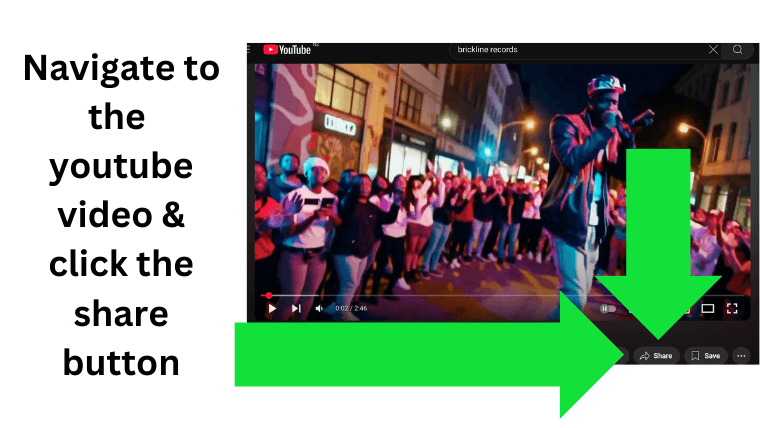
1. Click the Share button located underneath the YouTube video.
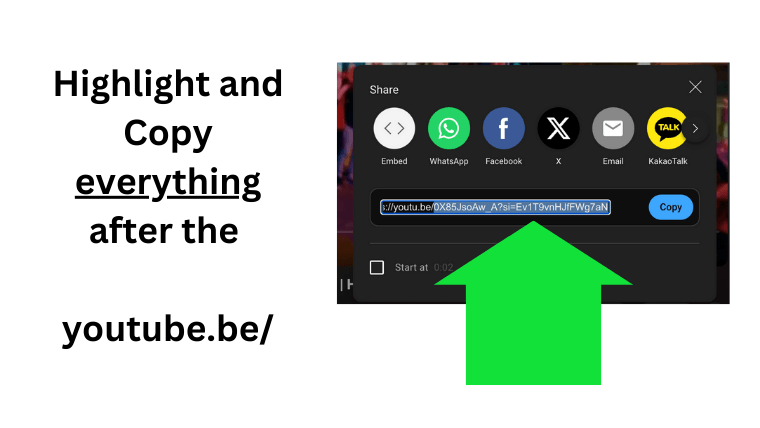
2. Copy the video link. For example, if the link is https://youtu.be/VIDEO_ID, copy the full link or the video ID.
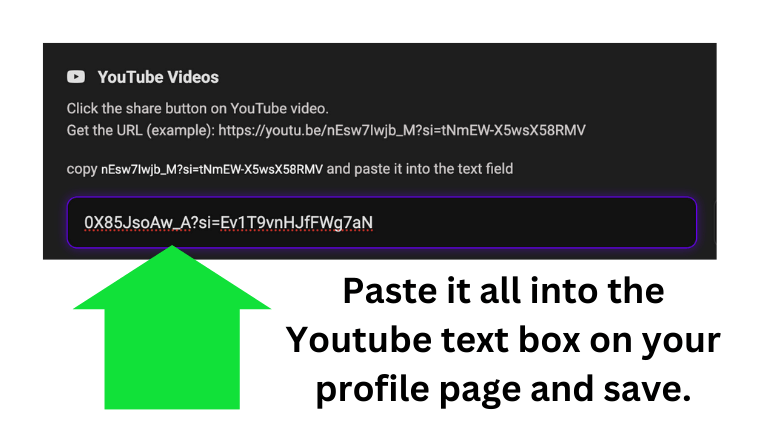
3. Paste it into the video upload field on your profile.
Still having issues? Message beatstorapon in the chat.
We aim to approve all tracks within 12 hours. It is often faster, but allow up to 12 hours during busy periods.
Beats To Rap On supports all music styles. Hip-hop, rap, trap, R&B, afrobeats, reggae, electronic, rock, podcasts, and soundscapes all have a place here.
Explore genres on the platform using the search menu.
Yes. You can add a Buy Me A Coffee link, PayPal link, or another payment URL to your profile so fans can support you directly.
Login → open chat → search beatstorapon. Include your username, track link, or profile link so we can move fast.