

Ever wanted to strip the vocals from your favorite song for a karaoke night, or isolate that killer bass line to study how it was played? A stems maker does exactly that—and in 2026, you can do it right in your browser without downloading a single app.
It’s important to note that ‘STEM maker’ can also refer to hands-on educational kits or Maker Spaces designed for Science, Technology, Engineering, and Math learning, and a ‘stemming machine’ is a mechanical device used in floristry to lengthen or strengthen flower stems. However, this article focuses specifically on digital audio stem makers—software tools that isolate music tracks.
This guide walks you through everything you need to know about using a stems maker: what it actually does, how to get started in under a minute, and creative ways to put those separated tracks to work in your own projects.
What Is a Stems Maker?
A stems maker is an AI-powered tool that takes a complete song and splits it into separate audio files—vocals, drums, bass, guitar, keys, and more—directly in your browser. Think of it as reverse engineering a finished mix back into its individual components.
It’s important to understand the difference between stems and multitracks:
- Stems are grouped, pre-mixed audio files representing related elements. For example, a “drums” stem contains all the drum mics (kick, snare, hi-hats, overheads) already mixed together with processing applied.
- Multitracks are every single recording from a session—potentially dozens of individual files for a 2024 pop track on Spotify.
When audio engineers export stems from their DAW project, they’re creating manageable sub-mixes. When you use an ai stem splitter, you’re getting the AI’s best approximation of those grouped elements from a finished stereo mix. Curious whether AI can also handle more complex, immersive formats like Dolby Atmos? Find out more about AI in spatial audio and Dolby Atmos mastering.
Modern stems makers use deep learning architectures trained on millions of professionally isolated tracks. This training allows them to separate music source separation with impressive accuracy—clean enough for remixes, covers, practice sessions, and video content production.
Key benefits at a glance:
- Upload MP3, WAV, FLAC, or M4A from any era (1960s classics to 2025 EDM)
- Get separated stem files in minutes
- No software installation required
- Free tier available for personal use
- Works on any operating system through your browser
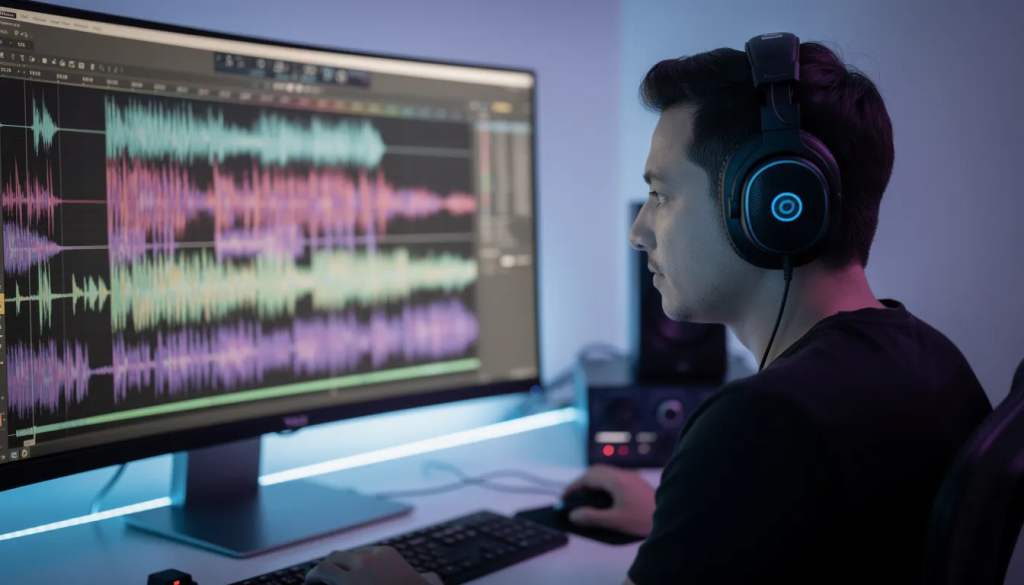
How to Use the Stems Maker (Step‑by‑Step)
Getting from upload to download takes under a minute for a typical 3-minute track. Here’s exactly how the process works:
- Upload your audio: Click the “Upload audio” button or drag and drop a file directly from your desktop. The tool accepts common formats like 320 kbps MP3, 44.1 kHz WAV ripped from a CD, or FLAC files from your music library. There’s no strict file size limit for most songs, though very long live recordings may need to be split.
- Choose your separation mode: Select how many stems you want. The options typically include:
- 2-stem (vocals + instrumental) for quick karaoke tracks
- 4-stem (vocals, drums, bass, other) for standard remixing
- 6-stem or extended modes (vocals, drums, bass, guitar, piano, other instruments) for detailed work
- Click “Create stems”: The AI begins processing your track using cloud GPUs. You’ll see a real-time progress display—usually a waveform preview and percentage bar. A 3:30 song typically finishes in under 60 seconds.
- Preview and download: Each stem appears with its own play button so you can analyze the separation quality before downloading. Hit “Download WAV” for lossless quality or “Download MP3” for smaller files. These are ready to drop directly into Ableton Live, FL Studio, Logic Pro, or any other DAW.
The whole workflow runs entirely in your browser. No plugins to install, no drivers to configure, no waiting for local rendering to finish.
Which Stems Can You Extract?
The tool can remove vocals or isolate almost any musical layer from a stereo mix. Here’s what you can extract:
- Lead vocals: The main singer’s voice, isolated for acapella use or removal for instrumental versions
- Backing vocals: Background harmonies and ad-libs separated from the lead
- Drums: Kick, snare, hi-hats, toms, and cymbals grouped as a single percussive stem
- Bass: Electric bass, synth bass, and low-end elements
- Guitar: Electric and acoustic guitar parts
- Keyboards/Piano: Piano, organ, synth pads, and melodic keyboard layers
- Other: Everything else—strings, brass, FX, atmospheres, and synth textures
Practical examples:
- Strip vocals out of a 2020s pop hit to create your own instrumental for a live performance
- Isolate bass from a 1990 funk track to study the groove at half tempo
- Extract vocals from a song to build mashups with a completely different instrumental
- Pull out the guitar stem from a classic rock song to learn the chords by ear
The stems maker handles more than just polished studio tracks. It works on podcasts where you need to separate voice from background music, YouTube intros, TikTok sounds, rehearsal recordings, and even live bootlegs (though quality varies with source material).
Key Features of the Stems Maker
What sets a dedicated stems maker apart from a basic vocal remover? Here’s what to look for in a powerful web tool:
| Feature | What It Means |
|---|---|
| AI Quality | State-of-the-art separation models trained on thousands of professionally mixed tracks deliver clean vocals and punchy drums with minimal artifacts |
| Processing Speed | Cloud GPUs handle the heavy lifting, processing 3–4 minute songs in under a minute without taxing your local CPU |
| Browser-Based | Runs entirely in Chrome, Edge, Safari, or Firefox—no installation on Windows, macOS, or Linux |
| Multi-Format Support | Upload and export in WAV, MP3, FLAC, or OGG at standard sample rates (44.1 kHz, 48 kHz) |
| Free Tier | Get started with a set number of minutes per day at no cost |
| Smart Detection | Automatic tempo and key detection, plus normalized stem levels around -14 LUFS for quick DAW import |
These supported formats cover virtually any audio source you’ll encounter, from ripped CDs to streaming downloads to your own live recordings.
File Size Considerations
When working with audio files in music production, file size can make a big difference in your workflow. The AI stem splitter is designed to handle a wide range of file sizes, but it’s important to be aware of the upload limits for each version. With the free version, you can upload audio files up to 100MB, which is perfect for most standard-length songs in formats like WAV, MP3, or FLAC. If you need to process larger files—such as extended live recordings or high-resolution studio tracks—the paid version supports uploads up to 500MB, giving audio engineers and music producers more flexibility for bigger projects.
Supported formats include WAV, MP3, and FLAC, so you can work with the highest quality audio available. Once uploaded, the stem splitter uses AI to separate your music into individual components: vocals, drums, bass, and other instruments. This makes it easy to isolate specific tracks for mixing, mastering, or creative remixing. For example, if you have a lengthy live performance, you can split it into separate instrument stems, making it much easier to adjust levels, add effects, or create new arrangements. Just note that larger files may take a bit longer to process, but the results are worth the wait—especially when you need detailed control over every element in your audio.
Device Compatibility
The AI stem splitter is a powerful web tool built for ultimate convenience, allowing you to separate music and extract vocals or instruments from any device with an internet connection. Whether you’re working from a desktop computer in your studio, a laptop at a coffee shop, or even a tablet or mobile phone on the go, you can access the stem splitter directly through your browser. The app is optimized for all major platforms, ensuring a smooth and responsive experience no matter where you are.
Uploading your audio files is simple—just drag and drop your tracks into the tool, or use the upload button to select files from your device. The stem splitter will quickly process your music, letting you isolate vocals, instruments, and other elements with just a few clicks. This flexibility means you can start a project in one location and finish it somewhere else, making it easy for music producers and audio engineers to work on the move. Whether you’re extracting vocals for a remix, isolating drums for a practice session, or preparing stems for a video project, the AI stem splitter adapts to your workflow and keeps your creative process seamless.
Creative Ways to Use a Stems Maker
Stems unlock creative and educational possibilities that simply weren’t accessible to most people a few years ago. Here’s how music producers, DJs, musicians, and content creators are putting them to work:
- DIY karaoke and backing tracks: Remove lead vocals from favorite songs for 2025 gigs, band rehearsals, or live-stream performances. You get a clean instrumental version without paying for an official karaoke track.
- DJ mashups and edits: Isolate acapellas from one track and layer them over instrumentals from another. Build remixes and TikTok edits using tools like Serato, Rekordbox, or Traktor. DJs can also use real-time stem control to mute bass lines during transitions or isolate drums for creative layering.
- Practice and music education: Guitarists can solo guitar stems from classic rock songs to learn riffs by ear. Drummers can loop drum-only stems to practice fills at slower tempos. Bassists can study isolated bass lines to understand note choices and groove.
- Podcast and video production: Separate speech from background music in podcast episodes or YouTube tutorials. This lets you clean up dialogue, rebalance mixes, or swap out music entirely while keeping the voice track intact.
- Sound design and sampling: Producers can grab isolated textures—strings, synths, piano loops—from recordings they own or license. This opens up creative sampling possibilities that aren’t practical with a full stereo mix.
- Cover songs and remixes: Artists can create unique covers by keeping original drums and bass while recording new vocals and guitar. This hybrid approach works especially well when you want professional-sounding backing tracks without hiring a full band.
The magic of stem separation is that it gives you more flexibility with audio you thought was “finished.” A stereo mix is no longer a locked-down final product.

Best Practices for Clean Stems
While the stems maker is powerful, input quality and settings significantly affect your results. Follow these tips to get the cleanest possible separation:
- Use high-quality sources: Prefer lossless WAV or FLAC over low-bitrate MP3s. A 128 kbps stream from early 2010s downloads will produce more artifacts than a properly ripped CD or high-quality download.
- Avoid overly loud or clipped masters: Modern tracks mastered close to 0 dB can create distortion in separated stems. If you have access to a version with more dynamic headroom (like a vinyl master or an older pressing), try that instead.
- Choose the simplest mode needed: For quick karaoke, stick with 2-stem split (vocals + instrumental). Splitting into many micro-stems when you don’t need them can introduce more artifacts and bleed.
- Set realistic expectations for dense mixes: Very layered arrangements—think 2000s metal with stacked guitars, or heavily produced EDM drops—are harder to fully separate. Some bleed between stems is normal and expected.
- Detect problems with proper monitoring: Check stems on both headphones and speakers. If you hear faint remnants of other instruments, light EQ or gating inside your DAW can clean things up.
- Match sample rates: Export stems at the same sample rate you’ll use in your project to avoid unnecessary conversion artifacts.
| Source Quality | Expected Results |
|---|---|
| Lossless (WAV/FLAC) | Best separation, minimal artifacts |
| High-bitrate MP3 (256-320 kbps) | Good results for most uses |
| Low-bitrate MP3 (128 kbps or below) | Noticeable artifacts, usable for practice |
| Live bootleg / low-quality recording | Variable results, significant bleed likely |
Customer Support and Trust
We understand that when it comes to your music, reliability and support are essential. That’s why our AI stem splitter is backed by a dedicated customer support team, ready to assist you with any questions or technical issues you might encounter. Our comprehensive FAQ section covers common topics, and our contact form ensures you can reach us directly for personalized help.
Music producers, artists, and audio engineers trust our stem splitter to deliver high-quality audio stems for their projects. Whether you’re creating a remix, uploading your latest track, or experimenting with new sounds, you can count on our technology to provide accurate and consistent results. We’re proud to have helped countless creators achieve their musical vision, and we’re committed to maintaining the highest standards of service and quality. With our AI-powered tool, you can create, remix, and share your music with confidence, knowing you have a reliable partner supporting your creative journey.
Interactive and Localization
The AI stem splitter isn’t just a tool for music production—it’s a gateway to interactive and localized audio experiences. By isolating vocals and instruments, you can create custom karaoke tracks, interactive remixes, or even educational resources that let users play with individual elements of a song. The technology also enables you to detect and extract specific elements, such as chords or melodies, making it easy to create new versions or arrangements tailored to your needs.
For localization projects, the stem splitter is invaluable. You can generate instrumental or vocal-only tracks for translation, dubbing, or regional adaptations, ensuring your content resonates with audiences worldwide. Advanced features like tempo and key detection give you even more control, allowing you to match stems to different projects or synchronize them with video content. Whether you’re building a karaoke app, producing a localized soundtrack, or crafting an interactive music experience, our AI stem splitter provides the tools and flexibility you need to bring your creative ideas to life.
Pricing, Limits, and Commercial Use
You can get started for free, with transparent pricing for heavier or commercial usage.
Free tier: The service offers a set number of processing minutes per day or month for non-commercial personal use. This covers practice sessions, school projects, personal covers, and learning.
Pay-per-use model: For users who need more volume, billing typically works per minute of processed audio. For example, a 3:30 song split into 4 stems might be billed as a single processing job, with clear pricing displayed before you confirm.
Commercial rights: The stems maker processes audio—it doesn’t grant copyright clearance. You must own or have rights to the source audio for any commercial use of the stems. This includes:
- Tracks you produced yourself
- Royalty-free library music you’ve licensed
- Masters you have explicit permission to remix
No subscription required: Occasional users can process tracks without committing to a monthly plan. However, studios, labels, and developers who need high-volume access can opt into discounted monthly plans.
Technical limits: Most services cap individual file duration (often around 10 minutes per track) and have a maximum upload size. If you’re working with long DJ sets or full concert recordings, you may need to split them into segments first.
Always check the specific terms of service for commercial projects. The tool separates the audio, but clearing rights for released music remains your responsibility.
Key Takeaways
- A stems maker uses AI to split finished songs into individual components like vocals, drums, bass, guitar, and piano
- The entire process runs in your browser—upload, process, download—in under a minute for most tracks
- Free tiers support personal use like practice, karaoke, and learning, while paid options cover commercial and high-volume needs
- Input quality matters: lossless sources produce cleaner stems than low-bitrate MP3s
- Creative applications range from DJ mashups to podcast cleanup to music education
Start Splitting Your First Track
Whether you’re building mashups for your next DJ set, practicing guitar parts from songs you love, or cleaning up dialogue in video content, a stems maker puts professional-grade audio separation at your fingertips.
The technology that once required expensive studio software and audio engineering expertise now runs in your browser tab. Upload a song, choose your separation mode, and download the individual layers in minutes.
Try the free tier with a track you know well—something where you can clearly evaluate how cleanly the vocals separate from the instruments. Once you hear those isolated elements for the first time, you’ll start seeing creative possibilities everywhere.