
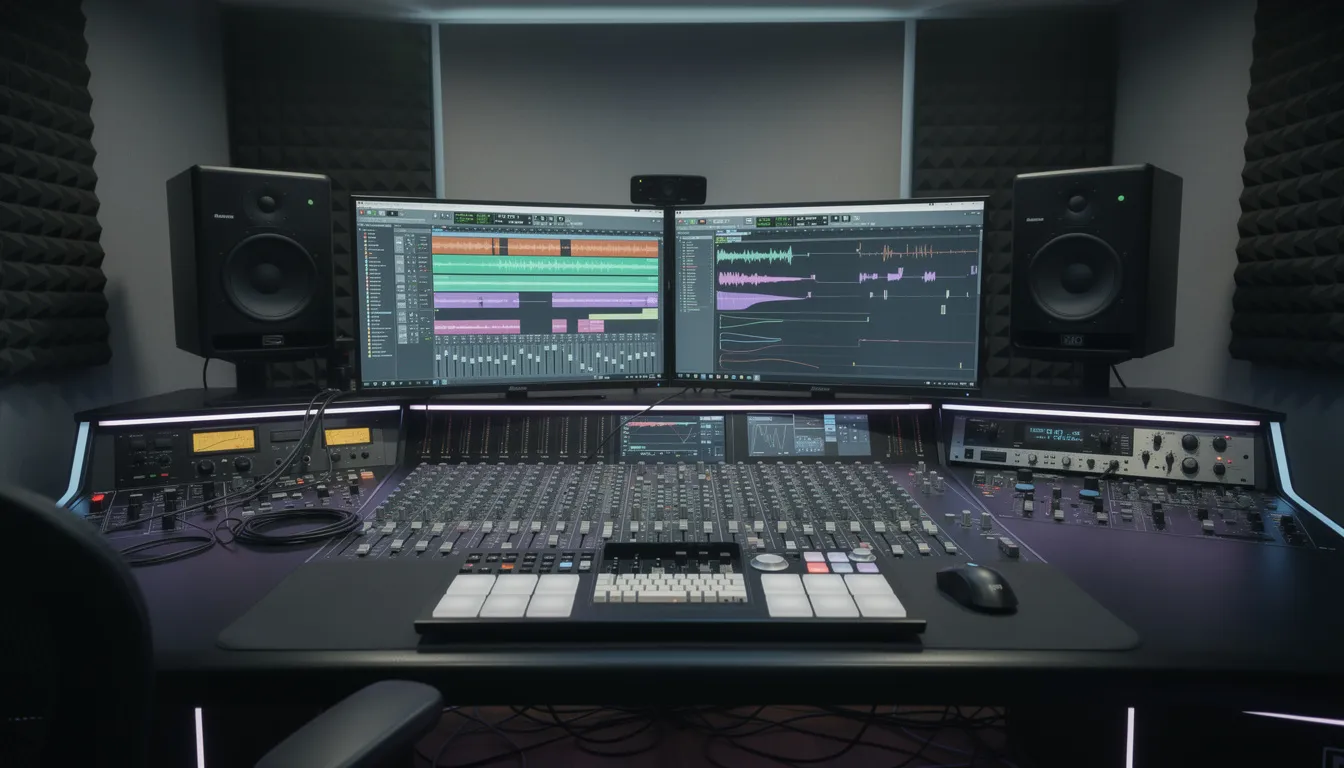
Introduction to Splitter Software
If you’re an independent hip-hop, trap, drill, or Afrobeats artist in 2026, you’ve probably heard the buzz around splitter software—AI-powered tools that take a finished song and break it into separate stems like vocals, drums, bass, and instruments. What once required access to original project files or expensive studio sessions is now available to anyone with a web browser and a track to upload.
Beats To Rap On offers AI stem splitting as part of its online tool suite, meaning no download is needed—everything runs directly in your browser. As a company with deep expertise in audio technology development, Beats To Rap On has established itself as a credible leader in the music industry by providing innovative solutions for artists and producers. The process is simple: upload a full song, and get separate stems for vocals, drums, bass, and other instruments in seconds.
- This article explains how stem separation software actually works under the hood.
- You’ll learn concrete use cases for remixes, live performances, sampling, and mix repairs.
- We compare popular tools like BeatsToRapOn, LANDR, Moises, Lalal.ai, and UVR so you can make an informed choice.
- You’ll see how Beats To Rap On’s splitter fits into a complete music production workflow built for rap and urban genres.

How Splitter Software Works (AI Stem Separation Explained)
Modern splitter software uses deep learning models trained on thousands of multitrack recordings to learn what different instruments and vocals sound like in a mix. The most well-known model families are Demucs (developed by Meta AI) and MDX-Net, which have been refined over years to handle complex, overlapping sounds. These models analyze the frequency content and harmonic patterns in your audio, then separate them into distinct outputs—all without needing the original project file. To learn more about the evolution of music source separation, including the latest models and research trends, visit our in-depth overview.
The technology has evolved rapidly. What took several minutes per track in 2022 now runs in 10–60 seconds depending on song length and server load, making the process incredibly fast for artists who need quick results.
Common stem models:
- 2-stem: Splits vocals from the instrumental, perfect for creating quick acapellas or backing tracks.
- 4-stem: Separates vocals, drums, bass, and “other” (synths, piano, guitar, strings combined).
- 5+ stem: Advanced extraction that can isolate vocals, drums, bass, piano, electric guitar, and other instruments individually.
Basic workflow:
- Step 1: Upload a stereo WAV or MP3 file (web tools typically support up to 15 minutes and 200 MB file size).
- Step 2: AI analyzes the frequency content and patterns associated with each instrument.
- Step 3: Software outputs separate audio files (stems) as WAV or MP3, ready for download.
Beats To Rap On’s splitter focuses on clean rap and hip-hop stems with strong drum and 808 separation, clear vocal extraction, and accurate bass isolation. The models are optimized through training on urban genres, so the results sound natural for trap, drill, and Afrobeats production.
Note: Processing times typically range from 10–60 seconds per track. Larger files take longer, but you’ll never wait the 10+ minutes that older tools required.
What You Can Use Splitter Software For
Think of stem separation as another tool in your toolbox—not a magic fix, but extremely useful for creative and technical workflows that music producers and audio engineers rely on daily.
Specific use cases for independent artists:
- DIY acapellas for remixes: Create remix material or drill/jersey edits from tracks you have rights to use, whether royalty-free music or properly licensed material.
- Backing tracks for live shows: Remove lead vocals from songs to create clean instrumental versions for open mics, YouTube performances, or concert backing tracks.
- Sampling drums and loops: Extract percussion patterns, basslines, or melodic loops from your own catalog, beats you licensed, or royalty-free packs for new productions.
- Practice and ear training: Solo the bass or drums to learn complex patterns from tracks in your DAW, or slow stems down to study arrangement techniques.
- Fixing mixes when project files are lost: Pull vocals from a bounced track to repair or reprocess them—a lifesaver when hard drives fail or collaborators disappear.
- Creating instrumental versions: Use the vocal remover functionality to generate clean instrumentals for content creators or sync licensing opportunities.
For example, the quality of stem separation can vary depending on the track and instrument. Some splitter software tools may cleanly isolate vocals from a pop song but struggle with complex jazz arrangements or heavily layered rock tracks. In practice, extracting drums from electronic music often yields better results than from acoustic recordings, and basslines may be more accurately separated in tracks with clear frequency separation. These examples show how results can differ based on the song and the instruments involved.
Users can separate any number of tracks into vocals, drums, bass, and other instruments for free using Splitter. Additionally, Sesh.fm provides a free AI stem splitter that can extract vocals, drums, electric guitar, bass tracks, and other instruments from any song.
Important copyright reminder:
The music industry has seen increasing disputes over AI-generated remixes and unauthorized vocal extraction from commercial tracks. Using splitter software on songs you don’t own or have explicit rights to can result in copyright strikes, takedowns, or legal action from publishers.
- Do not strip vocals from commercial tracks without proper licensing.
- Beats To Rap On is not liable for user misuse—you must respect copyright law in your country.
The good news: Beats To Rap On collaborates with producers and beatmakers to provide royalty-free beats and stems that are safe to process, remix, and monetize under clear licenses. This gives you a legitimate source for creative experimentation.
Key Features to Look For in Splitter Software
Not all stem separation tools deliver the same results. Whether you’re evaluating Beats To Rap On’s splitter or any alternative, this checklist helps you compare options effectively.
Feature checklist:
- Stem count and types: Does the tool support 2, 4, or 5+ stem separation? Can it isolate vocals, drums, bass, piano, guitar, and “other” sounds?
- Audio quality: Look for low artefacts, phase coherence, and good transient handling on kicks, snares, and hi-hats. Poor quality means unusable stems.
- Speed and limits: What’s the processing time per song? Are there daily or monthly limits? What’s the max file size and track length?
- Supported formats: Check for MP3, WAV, and FLAC input support. Output should include WAV and MP3 at industry-standard sample rates (44.1 kHz, 48 kHz).
- Workflow integration: Can you drag-and-drop stems directly into DAWs like FL Studio, Ableton Live, or Logic Pro? Compatibility matters for a smooth creative process.
Beats To Rap On’s splitter positioning:
- Browser-based with no desktop install required—access from any computer with an internet connection.
- Optimized presets for hip-hop, trap, drill, and Afrobeats percussion and 808s.
- Export-ready stems aligned with common DAW project sample rates and bit depths.
- Part of a complete suite that includes AI mastering, BPM/key detection, and beat licensing.
System Requirements for Splitter Software
To get the most out of stem separation software, it’s important to ensure your setup can handle the demands of modern audio processing. For desktop-based splitters, a multi-core processor and at least 8 GB of RAM are recommended, with 16 GB or more providing smoother performance—especially when working with larger files or multiple stems like vocals, drums, and other instruments. A dedicated graphics card can further boost processing speed, making the extraction of complex audio files more efficient.
If you’re using cloud-based services, such as browser-based splitters, a stable internet connection is essential for uploading and downloading audio files and stems without interruption. This is particularly important when dealing with high-quality WAV or FLAC files, which can be sizable. Sufficient storage space on your device is also crucial, as you’ll need room for both the original tracks and the separated stems, including vocals, drums, and other instruments. By meeting these system requirements, users can ensure reliable performance and a smooth stem separation process, whether working on a single song or managing a larger music production project.
Technical Specifications of Leading Splitter Tools
When choosing stem separation software, music producers and audio engineers should consider the technical specifications that best fit their workflow and the demands of the music industry. Leading splitter tools offer a range of features designed to extract vocals, drums, bass, electric guitar, piano, and other instruments with high fidelity. For example, some tools like UVR (Ultimate Vocal Remover) provide advanced ensemble modes for improved extraction quality, allowing users to isolate even subtle harmonic elements or complex instrument layers.
Support for multiple audio file formats—such as WAV, FLAC, and MP3—is standard among top tools, ensuring compatibility with various stages of music production. The ability to handle different file sizes, from quick demos to full-length tracks, is also a key consideration. Many splitters now include additional features like vocal remover tools, harmonic editing, and even MIDI extraction, giving users more creative control over their stems. The choice of splitter software often comes down to the specific needs of the project: whether you need to extract vocals for a remix, isolate an electric guitar for sampling, or separate piano and bass for a new arrangement, there’s a tool tailored to your requirements. Look for services that offer robust support, regular updates, and integration with your preferred DAW to streamline your music production process.
How Beats To Rap On’s Splitter Fits Into Your Music Workflow
Beats To Rap On is more than a splitter—it’s a marketplace and tool suite tailored specifically to independent rap and urban artists who want to go from idea to release without juggling five different services.
A complete workflow example for a 2026 indie rapper:
- Find your beat: Browse and download or license a royalty-free trap or drill beat from Beats To Rap On’s catalog or get inspired by producing rap beats at home.
- Split the stems: Use the built-in splitter to separate drums, 808 bass, melodies, and vocals (if present) for remix or arrangement purposes.
- Detect BPM and key: Use built-in analysis to match acapellas with new beats or confirm tempo for your DAW session.
- Polish your mix: Send stems into the integrated AI mastering tool to level and polish rough mixes before release.
- Hire professionals: Connect with a mixing engineer, mastering specialist, or cover art designer from the Beats To Rap On services marketplace.
- Release with confidence: Upload your finished song to Spotify, Apple Music, and YouTube without Content ID issues because you used properly licensed, royalty-free material.
Because beats on Beats To Rap On come with clear licenses, you can safely split, remix, and monetize them. This solves the core problem many artists face: finding material that’s both creatively inspiring and legally safe to use.
Advantages over generic splitter tools:
- Models tuned for rap vocals, heavy low-end, and modern drum patterns rather than pop/rock material designed for other genres.
- One account for beats, tools (splitter, mastering, analysis), and promotion services reduces friction and saves time.
- Community resources and support connect you with other creators for collaboration and feedback.
- No app download required—everything works on the web.
How Splitter Software Compares to Popular Alternatives
Music producers often hear about tools like UVR, Lalal.ai, Moises, LANDR, and Logic Pro’s built-in stem separation. Each has strengths depending on your needs and technical comfort level.
High-level comparison:
- UVR (Ultimate Vocal Remover): Open-source and free, offering powerful separation with access to multiple AI models. However, it requires desktop installation and some technical knowledge to configure properly. Great for users who want maximum control and don’t mind a learning curve.
- Lalal.ai / Moises / AudioStrip: Web-based services with paid subscription tiers. Strong general-purpose separation with added features like pitch shifting and practice mode. Moises is particularly popular among musicians for slowing down tracks to learn parts.
- LANDR: Integrated into a broader production ecosystem that includes mastering and distribution. Better suited to users already locked into the LANDR platform or seeking an all-in-one solution for multiple genres.
- Logic Pro Stem Splitter: Built directly into Apple’s DAW, convenient for existing Logic users but limited to that ecosystem. Performance varies depending on source material.
Where BeatsToRapOn fits:
- Focused specifically on rap, trap, drill, and Afrobeats genres rather than trying to be everything to everyone.
- Fast browser-based access means no software to install or upgrade.
- Tight integration with beat licensing, AI mastering, and artist promotion creates a complete “upload → split → remix → release” workflow in one ecosystem.
The truth is that many subscription services rely on similar underlying AI models but differentiate through added workflows, interfaces, and genre-specific tuning. Choose based on your genre focus and how the tool fits into your existing process.
File Management Tips for Splitter Users
Efficient file management is essential for anyone using splitter software in their music production workflow. Start by organizing your audio files into clearly labeled folders—separate your original tracks, extracted stems (such as vocals, drums, and instrumentals), and final mixes. Consistent naming conventions, like “SongName_Vocals.wav” or “ProjectTitle_Instrumental.flac,” make it easy to locate and identify files at a glance.
Regularly back up your important files to avoid data loss, especially after stem separation, which can generate multiple versions of each song. Cloud storage services are a smart choice, providing secure access to your audio files and stems from any device with an internet connection. This not only protects your work but also allows for seamless collaboration with other music producers and audio engineers.
Understanding the differences between file formats—such as WAV for high-quality mastering, FLAC for lossless compression, and MP3 for quick sharing—can help you choose the right format for each stage of your project. By keeping your files organized and accessible, you’ll streamline your workflow and ensure that every stem, from vocals to instrumentals, is ready for remixing, mastering, or release.
Best Practices and Limitations of Splitter Software
Even the best AI models in 2025–2026 aren’t perfect. Understanding limitations helps you get amazing results while avoiding common frustrations.
Tips for best results:
- Use high-quality source files: WAV or FLAC inputs produce cleaner stems than heavily compressed, low-bitrate MP3s. Higher quality in means higher quality out.
- Avoid clipping and distortion: AI struggles with already-damaged audio. If your source track is distorted or clipping, the extraction will carry those problems into every stem.
- Prefer royalty-free or licensed material: For sampling, stick to your own catalog, beats explicitly licensed for manipulation, or stems from Beats To Rap On’s royalty-free library.
- Check the volume levels: Extremely quiet or extremely loud tracks can confuse separation algorithms. Normalize to reasonable levels before uploading.
- Test with a short clip first: Before processing a full track, upload a 30-second section to evaluate separation quality and adjust your expectations.
Common limitations to expect:
- Bleed between stems: Hi-hats may leak into the vocals stem, or vocal harmonics may appear in the “other” instruments. This is a reality of current technology, though quality improves with each model generation.
- Difficulty with heavily processed audio: Sidechained EDM, heavily reverb-washed vocals, or extreme stereo effects can confuse separation algorithms.
- Timing artefacts: Very fast hi-hat rolls, stacked 808 glides, or rapid-fire trap snare patterns may show subtle timing issues in separated stems.
- Piano and strings separation: Isolating piano from strings or synth pads remains challenging because of overlapping frequency ranges.
Ethical and legal reminders:
- Respect record labels, publishers, and artists. Do not upload songs you don’t own or control.
- Beats To Rap On encourages responsible use and offers a catalog specifically designed for safe remixing and monetization.
- When in doubt, use royalty-free material or stems you’ve been explicitly granted rights to manipulate.
Future Developments in AI Stem Separation
The future of AI stem separation is set to transform the music industry, with rapid advancements in technology promising even greater accuracy, speed, and accessibility. As machine learning algorithms become more sophisticated, music producers and audio engineers can expect improved isolation of complex instruments and sounds—such as strings, harmonically rich vocals, and layered synths—making the extraction process more precise than ever.
Integration of AI stem separation directly into digital audio workstations (DAWs) will further streamline music production, enabling real-time manipulation of audio tracks and instant access to separated stems. User-friendly interfaces and mobile apps are also on the horizon, making it easier for artists at any skill level to access powerful stem separation technology from anywhere.
Looking ahead, AI-driven tools will likely expand beyond simple extraction, offering features like automated remixing, AI-assisted composition, and advanced harmonic editing. These innovations will empower users to isolate, manipulate, and create with unprecedented speed and flexibility, opening up new creative possibilities and reshaping the way music is produced, shared, and experienced. As access to these tools grows, the music community can look forward to a future where AI-powered stem separation is an integral part of every music production process.
Key Takeaways
- Splitter software uses AI models like Demucs and MDX-Net to separate full songs into vocals, drums, bass, and other instruments.
- Common use cases include creating acapellas, building backing tracks, sampling from licensed material, and fixing mixes when project files are lost.
- Key features to evaluate include stem count, audio quality, processing speed, supported formats, and DAW workflow integration.
- Beats To Rap On offers a browser-based splitter optimized for hip-hop, trap, drill, and Afrobeats, integrated with beat licensing, AI mastering, and artist services.
- Best results come from high-quality source files and properly licensed material—always respect copyright.
Get Started With Stem Separation
Splitter software puts professional-grade stem separation in every independent artist’s hands. Whether you’re building remixes, prepping for live shows, learning from your favorite tracks, or rescuing a mix from a lost project file, AI-powered extraction is now accessible without expensive studio sessions or complex software installations.
Beats To Rap On combines stem splitting with royalty-free beats, AI mastering, and a creator community—everything you need to go from idea to release in one place. Try the free splitter tool today, explore the beat catalog for safe sampling material, and connect with producers and artists who share your creative vision.