

Every piece of music has a pulse. That pulse is measured in beats per minute bpm—the universal language that tells musicians, producers, and dancers exactly how fast a song moves. Whether you’re setting the tempo on a metronome, syncing tracks as a DJ, or simply trying to figure out why one song feels relaxed while another drives you to move, BPM is the key metric you need to understand.
This guide breaks down what BPM actually means, how to measure it accurately, and how to use it in practice sessions, production, and performance.
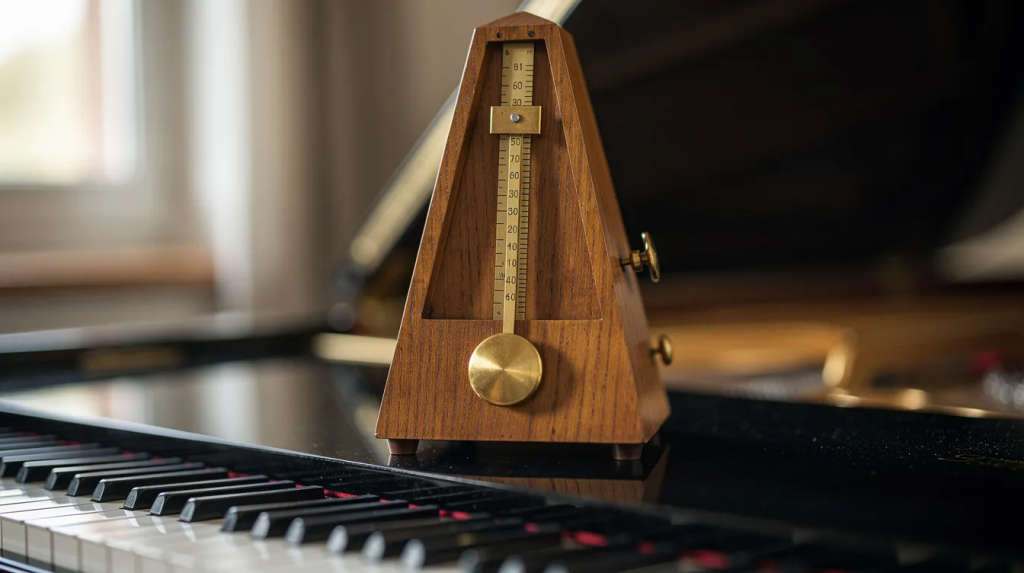
What is Beats Per Minute (BPM)?
BPM defines how many beats occur within a single minute of music. Think of it as the speed setting for any song or piece—a numerical value that removes guesswork from tempo.
- BPM serves as the standard unit for musical tempo across genres, from classical music scores to electronic dance tracks. The same measurement applies when doctors measure heartbeats or when fitness apps pace your workout to a target heart rate zone.
- A slow ballad might sit at 70 BPM, creating space for emotional vocals and sustained notes. A club track in 4/4 time often locks at 128 BPM, generating consistent energy for dancers. The difference between these feels immediately obvious when you hear them.
- In 4/4 time—the most common time signature in most music—each bar contains four quarter-note beats. At 120 BPM, you get exactly two beats per second, meaning two full bars pass every four seconds. This math helps producers and musicians plan arrangements precisely.
- BPM measures linear speed, while time signatures define how beats group together. A waltz in 3/4 has three beats per bar, and 6/8 compounds two dotted-quarter beats per bar. Changing time signatures alters the rhythmic feel but doesn’t change the underlying BPM value itself. A piece at 120 BPM in 3/4 moves at the same speed as one at 120 BPM in 4/4—the grouping just differs.
- Understanding the relationship between BPM, one beat, and the bar helps you communicate with other musicians, program drums accurately, and follow any song bpm indication you encounter in sheet music or a DAW.
How to Measure BPM (Tap Tempo & Tools)
Finding the BPM of any track requires nothing more than counting along with the pulse. Several methods exist, from manual tapping to automatic detection, each suited to different situations.
- A tap tempo tool works by recording the time between your taps and averaging them over several inputs. You tap along to the strongest pulse you hear—usually the kick drum or snare—and the software calculates how many beats occur per minute based on the intervals.
- For accurate results, tap for 10-15 seconds to give the algorithm enough data. Tapping the spacebar or screen for a few seconds on an EDM track should stabilize the reading around values like 128 BPM. Shorter tap sessions produce less reliable numbers because human variance gets amplified.
- A web-based bpm counter typically shows a large numeric display at the center, a tap button or area, and a reset function. The minimal interface keeps you focused on listening and tapping rather than navigating menus. Some tools add visual feedback like a flashing indicator that pulses with each tap.
- DAWs like Ableton Live, Logic Pro, and FL Studio include both automatic beat detection and manual tap tempo features. Automatic detection analyzes audio transients—peaks from drums and percussive hits—to calculate BPM instantly. Manual tap tempo lets you click a pad or press a key repeatedly while the software averages your input over 8-16 taps.
- You can also measure BPM with a stopwatch as a backup. Count beats for 15 seconds, then multiply by 4 to get beats per minute. This method works for educational settings or when digital tools aren’t available, though it requires focused listening and quick counting.
BPM, Tempo & Musical Feel
BPM provides a numeric tempo value, but musical feel emerges from style, groove, and where notes land relative to the beat. Two songs at identical BPM can evoke completely different moods.
- High BPM doesn’t automatically mean happy or energetic. A drum & bass track at 174 BPM can feel dark and aggressive through syncopated hi-hats and half-time snare patterns. Meanwhile, an 80 BPM pop ballad might feel uplifting through sustained vocals and major-key harmonies. Speed and mood are separate variables.
- Different genres cluster around typical BPM ranges, though these are guidelines rather than rules—and within rap, choosing the right BPM for your flow can dramatically change how your lyrics land and feel:
- Hip-hop: 80–100 BPM (laid-back flows)
- House: 120–128 BPM (optimal for dance floors)
- Techno: 128–135 BPM (hypnotic drive)
- Trap: ~140 BPM (often with half-time feels at 70 BPM perceived groove)
- Drum & bass: 170–180 BPM (breakneck energy)
- Beat placement dramatically changes perceived energy at the same BPM. On-beat patterns feel rigid and driving; syncopated rhythms inject swing and unpredictability. Swung sixteenth notes in jazz (around 66% swing ratio) feel completely different from straight eighth notes in house music, even at matched tempos.
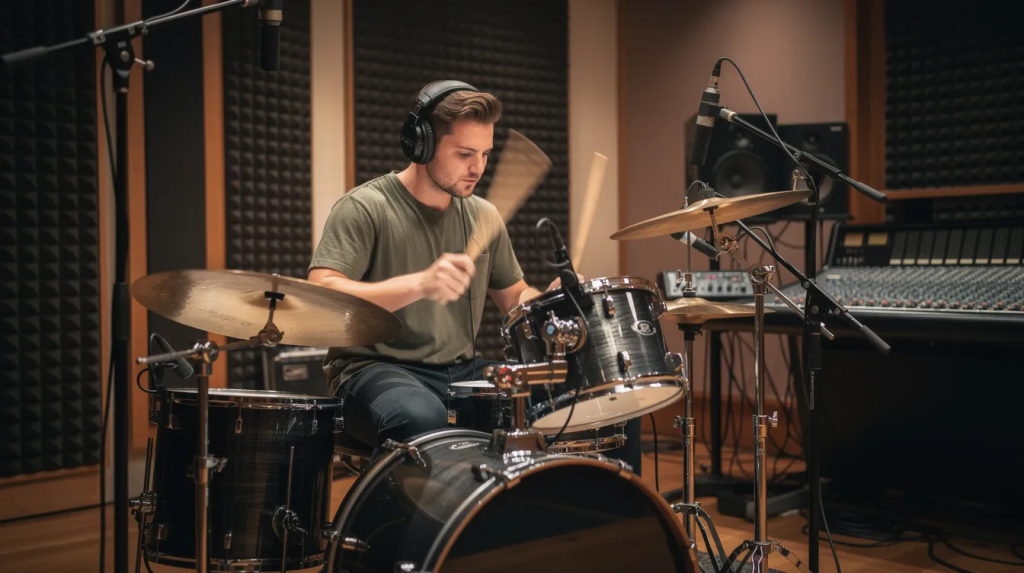
- In a band or orchestra, maintaining a steady tempo falls to the drummer, conductor, or a click track fed through in-ear monitors. The ability to hold consistent time across an entire performance separates professionals from amateurs.
Common Tempo Ranges & Italian BPM Markings
Traditional Italian terms have guided performers for centuries, pairing expressive words with approximate BPM ranges. Modern music notation often combines these with exact metronome markings for precision.
Here are the standard tempo indication terms and their typical ranges:
| Italian Term | BPM Range | Character |
|---|---|---|
| Largo | 40–60 | Extremely slow, broad |
| Adagio | 66–76 | Slow, serene |
| Andante | 76–108 | Walking pace |
| Moderato | 108–120 | Moderate speed |
| Allegro | 120–156 | Brisk, lively |
| Vivace | 132–168 | Spirited, quick |
| Presto | 168–200 | Extremely fast |
- These ranges have always been flexible. Beethoven’s allegro movements often run slightly faster than Mozart’s, reflecting different compositional styles and historical performance traditions. Allegretto—a diminutive of allegro—has shifted meaning over time relative to both allegro and andante.
- Modern scores frequently include exact tempo marking notations like “♩ = 92” (crotchet equals 92 beats per minute) placed above the staff alongside the Italian term. This removes ambiguity and feeds directly into metronome settings, much like an online song key and BPM finder tool does for recorded tracks.
- Some contemporary scores—especially in film, pop, and electronic production—omit Italian words entirely. A simple “128 BPM” above the first bar tells performers and DAWs exactly what’s needed without historical interpretation.
Changes in Tempo: Rubato, Accelerando & Ritardando
Tempo isn’t always fixed throughout a piece. Many compositions intentionally speed up or slow down to create tension, release, or emotional depth.
- Accelerando indicates a gradual increase in tempo, building intensity as the music pushes forward. Stravinsky’s “Rite of Spring” uses accelerando passages to ratchet up tension before explosive climaxes. John Williams employs similar techniques in film scores to match rising action on screen.
- Ritardando (or rallentando) means gradually getting slower, often used for resolution or emotional weight at phrase endings. Chopin’s nocturnes frequently employ this at cadences, stretching the final moments before landing on the tonic.
- Tempo rubato allows performers to flexibly stretch or compress individual beats within a phrase while maintaining the overall BPM across larger sections. A pianist might linger on an expressive note, then catch up slightly faster—the net effect preserves the right tempo over bars while adding human nuance, echoing how subtle timing shifts shape the science of groove and great beats.
- Modern scores sometimes show explicit new BPM values mid-piece. A section might begin at ♩ = 96, then display ♩ = 132 above the bar where the new tempo takes effect. This approach appears frequently in 20th and 21st-century works across classical and commercial genres.
- Notational conventions place gradual change terms (accel., rit.) below the staff as italicized instructions. Sudden tempo changes or new BPM values appear above the first bar of the new section, clearly visible to performers scanning ahead.
BPM in Modern Practice: DJs, Producers & Apps
Digital tools have made BPM central to contemporary music-making, from DJ booths to bedroom studios to practice routines with a metronome app.
- DJ beatmatching requires aligning the BPM of two tracks so kick drum hits and downbeats coincide. A DJ might match two 124 BPM house tracks on Pioneer CDJs or Serato software, using jog wheels to nudge phases until waveforms align perfectly or referencing an AI song key and BPM analysis tool to prepare harmonically compatible sets. This creates seamless transitions that keep dance floors moving.
- Time-stretching technology, refined throughout the 2000s, lets producers adjust tempo without affecting pitch—and vice versa. Ableton’s Complex Pro mode can warp a 124 BPM track to 128 BPM using granular synthesis, maintaining the original key. This revolutionized remixing and made tempo a fully adjustable parameter, especially in modern hip-hop beatmaking workflows.
- Rhythm-training apps like Soundbrenner or Tempo offer adjustable BPM ranges (typically 10–250 BPM, sometimes higher for extreme genres), visual pulses synced to each beat, beat subdivision options (clicking on eighth notes or triplets), and practice timers for structured sessions—features increasingly complemented by AI song key & BPM detection with mood and energy metrics.
- Many mobile and browser tools integrate games or exercises to help players internalize different BPM values. These might challenge you to tap along at increasing speeds, recognize tempo changes, or maintain consistent rhythm without visual feedback—building the internal clock every musician needs.

How to Use BPM & a Metronome in Practice Sessions
Consistent work with a metronome at specific BPM values builds timing, accuracy, and speed safely over months and years. The device becomes your most honest practice partner.
- Start every new piece or difficult passages at a slow tempo—60-70 BPM works for most material. Focus entirely on clean tone production and even rhythm at this pace before attempting anything faster. Speed comes from accuracy, not the other way around.
- Increase tempo in small steps of 2-5 BPM only when passages feel solid. For example, learn a guitar riff at 72 BPM until every note rings clearly, then move to 74 BPM. Over a week, you might progress from 72 to 96 BPM. A piano scale might develop from 80 to 120 BPM across two weeks. Patience outperforms ambition.
- Vary the click placement to develop internal pulse. Start with the metronome clicking every beat, then switch to clicks only on beats 2 and 4 (standard backbeat feel), then once per bar. Each variation forces deeper internalization of the tempo. Eventually, record yourself without any click to assess your accuracy.
- Drummers and rhythm-section players often practice with the metronome very quiet or displaced—setting the click to sound as if on beat 2 rather than 1. This strengthens internal time because you must generate the downbeat yourself rather than relying on external confirmation.
- Use the desired tempo of a song as your target, but don’t chase high BPM numbers before you’re ready. Playing a passage at the correct tempo with tension and errors hurts more than it helps. Build gradually, and your ability to perform cleanly at any speed will develop naturally across the world of tempos from extremely slow to extremely fast—especially if you treat BPM and key as expressive choices, as in a manifesto on BPM and key for rap.
The metronome reveals truth. It doesn’t judge, but it shows you exactly where your timing wavers. Embrace that feedback, adjust your practice, and watch your rhythm transform into something you can rely on in any performance situation.