
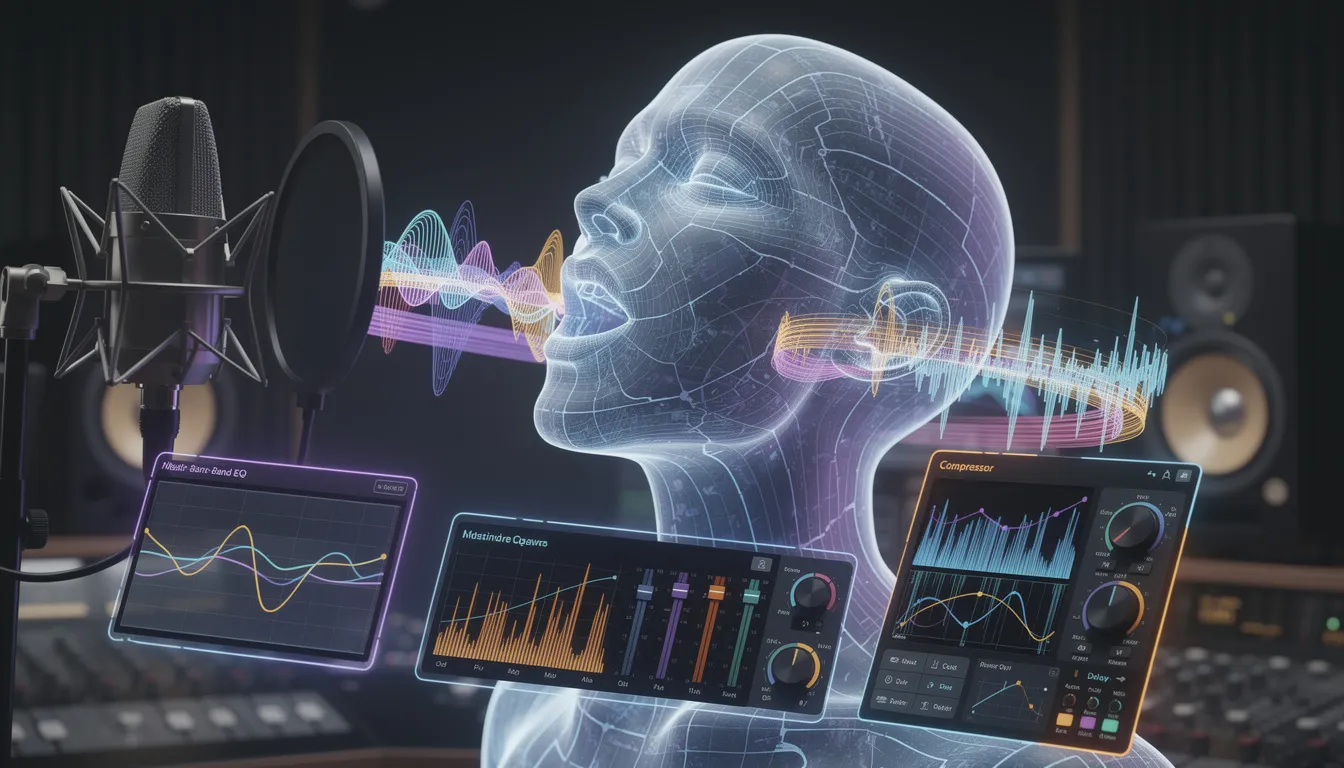
The landscape of music production, digital signal processing, and vocal engineering has undergone a profound and irreversible transformation: pitch correction has moved from hardware-bound studios to accessible, cloud-based AI workflows. Autotune was originally invented by Dr. Andy Hildebrand in 1997 for subtle pitch fixes, but its use has since expanded to both corrective and creative applications in modern music genres like pop, EDM, and hip-hop. By 2026, AI vocal processing is no longer a novelty—it is a production staple, with AI-made music appearing on major charts and platforms reshaping policy and licensing around AI audio and BeatsToRapOn has the new and best Auto-Tune online. See chart examples via Billboard’s AI-on-charts coverage and industry shifts via Spotify’s “artist-first” AI position.
Intro
At the center of the current vocal revolution is the democratization and evolution of pitch correction. Historically dominated by expensive, desktop-bound Digital Audio Workstation plugins that required technical expertise and significant local processing power, pitch correction is now widely available via browser-based platforms, collaborative cloud workspaces, and mobile applications. Many online platforms offer free or lower-cost versions compared to flagship professional plugins, making high-quality vocal tuning more accessible to independent artists. These auto tune online tools are also easy to use, allowing users to apply effects or edit audio with minimal effort compared to traditional, more complex software. Most online auto-tune tools let users easily upload or create a new voice recording or import an audio file to begin the tuning process, making it simple to get started with vocal editing. Many platforms also provide simple pitch correction and quick tuning features, so even beginners can achieve polished results with user-friendly interfaces and real-time feedback.
Modern online tools increasingly leverage deep neural networks not simply to shift frequencies, but to analyze, model, and re-synthesize the human voice for more natural results—especially when compared to older “phasey” or artifact-heavy tuning approaches.
This report-style blog post provides a definitive analysis of the online AI vocal pitch correction landscape in 2026. It examines the technological shift from algorithmic DSP to neural audio synthesis, categorizes the market into a structured taxonomy, compares leading platforms such as BandLab, Soundtrap, Kits AI, and Audimee, and explores the economic, aesthetic, and legal implications of modern Auto-Tune Online workflows, situating pitch correction inside the broader trend of accessible, online music creation tools.
Below, you’ll find a few tips to help you get the most out of autotune online tools.
Key Findings
- Pitch correction has shifted from “DSP shifting” to “AI resynthesis”: modern tools can preserve formants, breathiness, vibrato, and timbre more naturally by generating a new waveform rather than aggressively warping the original audio.
- The market has fragmented into four clear sectors: synth-based vocalizers (text/MIDI-to-vocals), desktop plugins, cloud DAWs with tuning, and standalone web-based AI vocal studios.
- Cloud economics are reshaping music tooling: compute-heavy neural audio pushes pricing toward subscription + usage models (minutes, quotas, metering) rather than perpetual licenses.
- “Natural-sounding perfection” is the new baseline: the old binary of “raw vs robotic Auto-Tune” is collapsing as neural models can deliver mathematically perfect pitch with human realism, helping users achieve a professional sound and improved vocal quality.
- Collaborative cloud workspaces and project settings: knowing the chords or key of your song helps ensure correct pitch and more accurate tuning results when working with autotune online.
- Legal clarity has become a product feature: platforms emphasize royalty-free voices, explicit commercial-use permissions, and safe publishing guidance—especially after high-profile AI voice deepfake incidents (for context, see coverage of “Heart on My Sleeve” in Rolling Stone).
- Market growth is accelerating: projections for generative AI in music show rapid expansion (see Grand View Research’s generative AI in music market report), alongside broader audio streaming growth (see Mordor Intelligence’s audio streaming market analysis).
Methods
This analysis uses a market taxonomy approach plus platform ethnography: we identify core categories of vocal processing products, then compare representative platforms by tuning mechanism, interface design, pricing and constraints, advanced AI capabilities (voice cloning, cleanup, stem tools), and target demographics. Where the market is fast-moving, pricing and plan names are linked to official pages and may change over time.
The Paradigm Shift in Vocal Processing
The landscape of music production, digital signal processing, and vocal engineering has undergone a profound and irreversible transformation. Moving away from specialized, hardware-dependent studio environments and expensive local software licenses—which traditionally required significant processing power from a user’s computer for pitch correction—the industry has firmly embraced accessible, cloud-based artificial intelligence ecosystems. By 2026, artificial intelligence in vocal processing has transcended its previous status as a novelty to become a production staple, reinforced by real-world chart outcomes and industry platform policy changes. For chart context, see Billboard’s AI-on-charts overview. For platform policy framing, see Spotify’s “artist-first” AI statement
At the center of this revolution is the democratization and evolution of vocal pitch correction. Historically dominated by expensive, desktop-bound plugins requiring extensive technical expertise, pitch correction is now widely available via browser-based platforms and mobile apps. Modern online tools leverage deep neural networks not simply to mathematically shift frequencies, but to analyze, model, and re-synthesize the human voice. Collaborative cloud workspaces now allow users to manage and share music projects online, with project settings directly influencing key, scale, and vocal tuning workflows. Many platforms now support microphone input, enabling real-time pitch correction and improving the quality of vocal recording directly within the browser. These advances help artists enhance their vocal performances with greater ease, making it simpler to achieve polished, professional results. Users typically start by adding a new voice recording or importing an audio file into their project, then pick the appropriate key and scale to ensure accurate vocal tuning. A clear example of “online tuning” as a product category can be seen in Soundtrap’s Auto-Tune (Antares) integration page and the broader educational positioning discussed in Soundtrap’s Auto-Tune explainer.
The Historical Context and Technological Evolution of Pitch Correction
To contextualize modern AI vocal tuners, it is necessary to examine the technological evolution of pitch correction mechanisms over the past three decades. The modern era of vocal tuning began in 1997 with the introduction of Auto-Tune by Antares Audio Technologies, originally invented by Dr. Andy Hildebrand for subtle pitch correction. While its initial purpose was to discreetly fix off-key notes, the effect became famous in songs like Cher’s ‘Believe’ and through artists like T-Pain, who used it for creative vocal effects, making autotune a defining sound in pop and hip-hop music (see historical overview in Soundtrap’s Auto-Tune basics article).
The Era of Traditional Digital Signal Processing
Traditional auto-tuning software relies on complex mathematical algorithms to detect the fundamental pitch of an incoming audio signal and shift that waveform to the nearest desired note within a predefined scale. While originally designed as a subtle corrective tool, often used to correct signals that were only slightly out of key, heavy application produced noticeable artifacts and an unnatural timbre. Rather than being rejected, this “robotic” or ‘robot’ sound aesthetic was famously popularized as a creative tool (see the “Believe” era discussion in Soundtrap’s Auto-Tune guide). Artists like T-Pain and Travis Scott are especially known for using autotune online and in the studio to create distinctive robotic effects that have become signature elements of their sound. Throughout the 2000s and 2010s, prominent artists pushed this sound further, establishing pitch correction as a mechanism of vocal design, not only repair. Don’t be afraid to experiment with different settings—sometimes the most unique vocal styles come from bold choices and creative use of robotic effects.
In traditional DSP, shifting pitch without accurately adjusting formants (the resonant frequencies that shape perceived vocal size and character) causes anomalies such as the “chipmunk effect” when shifted up. High-end tools address this with advanced formant control and detailed editing workflows (see general plugin landscape discussions in Pluginerds’ 2026 pitch correction roundup, and baseline Auto-Tune parameter concepts in Soundtrap’s explainer).
The Transition to Neural Audio Synthesis
Modern Auto-Tune Online systems represent a radical departure from algorithmic DSP. Instead of stretching and shifting existing waveforms, AI-powered vocal tools use deep neural networks trained on large datasets of human singing. When an off-key vocal is fed into an AI pitch editor, the system can re-synthesize the voice from the ground up: preserving phonetics, emotional contours, and timbral identity while mapping the performance to the desired pitch. These advanced tools aim to maintain the natural tone and vocal quality of the singer, ensuring that pitch correction does not compromise the unique sound and musicality of the voice. This neural approach provides major advantages in formant preservation and acoustic authenticity, enabling discreet correction with reduced artifacts (see AI vocal tuning framing in Kits AI’s “Beyond Pitch Correction” article).
Because the model learns vocal-tract-like behavior from training data, it can maintain breathiness, vibrato, and individual timbre even under extreme pitch correction—making “perfect tuning” far less detectable than legacy approaches. This shift is one of the key reasons online AI vocal workflows are increasingly chosen for both subtle pop polish and stylized hip-hop effects.
Market Taxonomy and Sector Analysis
The proliferation of AI audio technology has fragmented the vocal processing market into several distinct categories, each serving different user needs, technical proficiencies, and creative workflows. The market for generative AI in music is projected to grow rapidly through 2030 (see Grand View Research’s generative AI in music market report), running parallel to continued growth in audio streaming (see Mordor Intelligence’s audio streaming market analysis). Within this expansion, rappers and beatmakers are adopting specialized AI tools for hip-hop producers and music creators that complement vocal tuners with beat generation, mastering, and stem workflows. Vocal tuning software can be used on any audio track, but is most effective on vocal tracks, making it essential to select and manage the correct track when applying pitch correction or vocal effects. Online vocal tuners have emerged as accessible, web-based tools for pitch correction and vocal enhancement, making advanced tuning features available to a wider audience.
- Synth-based vocalizers: melody via MIDI + text lyrics → synthesized singing voices (examples include Synthesizer V and VOCALOID, discussed broadly across vocal AI tool roundups such as AudioCipher’s AI voice generator overview).
- Desktop DAW voice changer / tuning plugins: localized plugins transforming existing audio in traditional DAWs (context on classic tuning concepts via Soundtrap’s Auto-Tune basics). Many platforms now include a manual pitch editor, allowing users to fine-tune individual notes for precise control and natural-sounding results.
- Cloud DAWs with integrated tuning: browser/mobile studios with built-in pitch correction (BandLab’s AutoPitch discussed in BandLab’s AutoPitch overview; Soundtrap’s Antares integration discussed via Soundtrap’s product page).
- Standalone web-based AI vocal studios: BeatsToRapOn specialized browser tools focused on pitch editing, voice conversion, and vocal processing (Kits AI tool ecosystem at Kits.ai; Audimee’s tuner at Audimee’s Vocal Tuner).
The convergence of cloud computing and machine learning has allowed cloud DAWs and standalone web studios to capture consumer, educational, and prosumer markets by shifting computation from local machines to centralized GPU-backed infrastructure.
Detailed Platform Ethnography: Cloud-Based Digital Audio Workstations
The BandLab Ecosystem: Mechanics, Community, and Economics
BandLab has altered accessibility by offering a cross-platform cloud DAW with a large creator base (see BandLab’s “over 100 million creators” positioning via BandLab’s official site). Its integrated AutoPitch tool is often a first entry point for Auto-Tune Online-style workflows (overview at BandLab’s AutoPitch article).
AutoPitch is integrated directly into BandLab Studio on mobile and web, enabling pitch correction without external routing. After clicking to select your vocal channel or open the effects panel, you can find the AutoPitch feature within the BandLab interface. Typically, users start by adding a new voice recording or importing an audio file—such as a vocal track or acapella—into their project before applying pitch correction with AutoPitch. Users can select chromatic tuning or specify a key for tighter results (see BandLab’s AutoPitch guide). Mechanically, BandLab’s tuning commonly centers around a control that affects how quickly notes snap to pitch: high settings create hard, quantized effects, while lower settings allow more natural glide.
Within the BandLab community, producers debate practical settings and frequently cite a “sweet spot” for modern rap/pop tuning; a representative discussion can be seen in this community thread: “How do you make AutoPitch sound as good as possible?”. BandLab also offers genre-styled AutoPitch effects and gates additional options behind a paid membership (membership pricing and terms at BandLab Membership FAQ).
BandLab’s Membership tier also extends beyond tuning into AI-assisted workflow tools (including vocal cleanup and other creator features) and follows a subscription model with monthly and annual pricing detailed in the official Membership FAQ.
The Soundtrap Ecosystem: Antares Integration and Educational Dominance
Soundtrap, a cloud-based studio owned by Spotify (acquisition context via Spotify’s Soundtrap acquisition announcement), differentiates itself by integrating officially licensed Antares Auto-Tune technology into a browser environment (see Soundtrap’s Auto-Tune by Antares page).
To apply auto tune online in Soundtrap, users can upload their raw vocal recordings in common audio formats such as WAV or MP3 for AI processing. After uploading or recording, users access the bottom panel by double-clicking the audio track, which opens the panel where effects like Vocal Tuner can be selected and managed. The setup process for the voice tuner involves adjusting key parameters—such as retune speed, flexibility, and humanization—within the panel to achieve optimal sound quality, following standard Auto-Tune concepts explained in Soundtrap’s Auto-Tune basics article.
Soundtrap has also carved out a dominant education footprint via classroom workflows and integrations (education positioning can be explored via Soundtrap’s education guidance at Soundtrap Education plan guidance). In Australia and New Zealand, localized education pricing is distributed through partners such as Music EDnet’s Soundtrap for Education listing.
Consumer plan structures and pricing can vary; directory summaries and comparisons can be found on platforms like GetApp’s Soundtrap listing and Capterra’s Soundtrap profile.
Detailed Platform Ethnography: Standalone AI Vocal Web Applications
Kits AI: Browser-Based Resynthesis and Granular Control
Kits AI positions itself as a standalone web application for advanced vocal processing, emphasizing pitch correction, voice conversion, and related vocal tools (official ecosystem at Kits.ai). Its Pitch Editor uses a MIDI-style editing experience for detailed tuning workflows (see Kits AI Pitch Editor). When working with loops or MIDI instruments that specify the key and scale, automatic pitch correction becomes more accurate and consistent throughout the song.
This style of editor enables producers to identify sharp/flat notes visually and adjust them surgically, while neural methods aim to reduce classic “phase smearing” artifacts associated with older visual pitch editors (AI tuning framing in Kits AI’s “Beyond Pitch Correction” article). For optimal results, it’s important to set the vocal tuner to the same key as your project or song to ensure correct tuning and harmony. The amount of pitch correction applied can also be adjusted on a sliding scale within Kits AI’s editor, allowing for subtle or heavy tuning as needed.
For those seeking alternative pitch correction tools, GSnap is a classic, free, and simple pitch correction tool, while Celemony Melodyne 5 is known for its natural-sounding pitch correction and the ability to manipulate individual notes. MAutoPitch is another highly rated free plugin, offering features like automatic tuning, formant shifting, and stereo expansion.
Beyond pitch correction, Kits AI offers voice conversion controls such as pitch shifting, tuning strength/smoothness parameters, and additional modifiers described in Kits’ own vocal AI discussions (see Kits AI’s vocal tuning overview). Kits markets royalty-free voice options (see Kits.ai homepage “royalty free” positioning).
Cloud economics shape usage constraints: Kits uses “download minutes” as a meter for exporting audio, with plan details explained on official resources such as Kits pricing and Kits Help: download minutes. Plan structures can also be discussed in Kits’ own subscription guidance (see Which Kits AI subscription is right? and Kits Help: which plans do you offer?).
For certain tools, upload constraints can apply (for example, Kits has discussed MP3/WAV upload limits and time/size constraints in specific workflows; see Kits Vocal Remover usage notes).
Audimee: Precision Tuning, Licensing, and Fidelity
Audimee competes in the standalone AI vocal tool category with an emphasis on tuning precision, voice conversion, and explicit commercial-use clarity (see Audimee’s Vocal Tuner and plan tiers at Audimee pricing). Audimee allows users to process multiple vocal tracks simultaneously, making it easy to apply pitch correction and enhancements across several recordings at once. It also offers real-time correction, processing audio instantly during recording or performance with minimal latency.
Audimee’s legal framework is a core differentiator: it explicitly states that vocals created on a paid plan can be released commercially on platforms like Spotify and Apple Music, and that you are not required to credit Audimee or the voice models when publishing (see Audimee FAQ: commercial use). Terms governing input/output usage and commercial permissions are also detailed in Audimee’s Terms of Use.
Emerging Competitors, Niche Applications, and Audio Enhancement
Beyond the primary platforms, several tools occupy niche roles. Musicfy leans into broader generative capabilities such as text-to-music and voice-to-instrument style transformations (see Musicfy and comparisons like Kits’ comparison article).
Voloco approaches the market from a mobile-first angle and has expanded into desktop plugin workflows (see Voloco and Voloco Producer). Voloco’s pitch correction effects can create results similar to the vocal styles of popular artists, achieving the recognizable robotic or tuned sound often heard in modern hip-hop and pop tracks. Producers working in these genres increasingly explore AI vocal effects in hip-hop production as part of a broader toolkit that blends tuning, distortion, harmonies, and voice cloning. Voloco’s scale and download totals are referenced in its own materials (see source if you want to cite a specific download figure).
In podcasting/spoken audio, tools like Adobe Enhance Speech remove noise and echo (see Adobe Enhance Speech v2). Competing tools like MyEdit and Media.io also offer audio enhancement features, but they are generally less specialized for musical pitch correction and scale/key snapping. For music workflows that require isolating or cleaning specific parts of a track before tuning, creators often turn to AI stem separation tools: a free browser-based AI vocal remover and stem splitter or AI stem splitter & vocal remover can quickly prep acapellas and instrumentals, while dedicated guides on removing backing vocals with AI stem splitting and using an AI audio stem splitter & vocal remover step by step help producers structure their cleanup process before applying pitch correction.
The expansion of AI audio is global; Australia’s broader AI tools ecosystem is reflected in coverage such as Tactiq’s overview of AI startups in Australia.
Comparative Market Data
The following tables synthesize primary interface design, tuning mechanism, and target demographic across major platforms, plus a pricing/constraints snapshot. Pricing and constraints can change; links are provided to official pages where possible.
|
Platform |
Primary Interface |
Tuning Mechanism |
Advanced AI Capabilities |
Target Demographic |
|---|---|---|---|---|
|
BeatsToRapOn AI |
Web App |
Cutting Edge AI Methods |
High-fidelity voice conversion |
Producers, advanced creators |
|
Kits AI |
Standalone Web App |
Manual MIDI-style Pitch Editor + automated options |
Voice cloning, vocal tools suite, metered exports via download minutes |
Producers, advanced creators |
|
Audimee |
Standalone Web App |
Manual pitch editing + auto tuning |
High-fidelity voice conversion, explicit commercial-use guidance |
Producers, independent artists |
|
BandLab |
Cloud DAW (Web/Mobile) |
Integrated AutoPitch effects and key-based workflows |
Membership-gated features, creator ecosystem tooling |
Beginners, mobile producers |
|
Soundtrap |
Cloud DAW (Web) |
Integrated Antares Auto-Tune in-browser |
Education workflows, collaborative studio |
Educators, podcasters, musicians |
|
Musicfy |
Standalone Web App |
Automated workflows |
Text-to-music, voice-to-instrument oriented |
Songwriters, hobbyists |
|
Platform |
Entry paid tier (reference) |
Premium tier (reference) |
Primary constraints / export notes | |
|
Kits AI |
Plan tiers vary |
Higher tiers can include more/unlimited downloads |
Unlimited conversion; exports metered via download minutes | |
|
Audimee |
Starter plan |
Ultimate plan |
Paid plans allow commercial release and no required credit | |
|
BandLab |
Membership monthly USD $14.95 |
Annual renewals / promos vary |
Cloud DAW workflow; feature access depends on tier and platform | |
|
Soundtrap |
Tiered plans vary (see |
Top tiers may be required for Auto-Tune integration |
Education plan pricing varies by region (see |
Economic and Workflow Implications for the Recording Industry
Historically, transparent vocal tuning was a premium, labor-intensive service. Engineers spent hours manually adjusting pitch, smoothing transitions, and correcting drift across multiple takes. Browser-based AI tuners fundamentally devalue the manual mechanics of this process by automating neural re-synthesis into tuned, formant-preserved audio in seconds—shifting advantage toward creators who can capture emotional performance and clean source files rather than perfect pitch accuracy. A similar shift is happening at the end of the chain, where AI is transforming audio mastering workflows and where dedicated resources like definitive guides to AI mastering in 2025 outline how automated mastering now sits alongside AI tuning in a typical release pipeline.
However, democratization introduces a new economic paradigm based on continuous cloud computing. Deep neural audio synthesis is computationally intensive and typically relies on GPU-backed server infrastructure. This is why platforms meter usage through quotas and “minutes,” pushing the market toward subscription and compute-based pricing. Kits’ “download minutes” model is explained.
Aesthetic Paradigms and the “Natural Fallacy”
In the traditional DSP era, heavy pitch correction produced recognizable robotic artifacts, creating a binary between raw vocals (with imperfections) and overtly auto-tuned vocals (audibly quantized). Achieving a natural sound in vocal tuning has become increasingly important, as artists and producers seek to preserve the authenticity and realism of the human voice while making stylistic adjustments. Modern AI pitch correction disrupts this binary: neural tools can output pitch-perfect vocals that remain acoustically human, preserving breathiness, warmth, and vibrato while eliminating telltale artifacts. Tools like Flex-Tune allow for more natural pitch correction by only applying correction when the singer is close to the target note, further supporting a natural sound. This capability elevates the baseline expectation of what listeners perceive as “raw.”
As educational platforms introduce these tools to students at scale, the industry definition of a “good vocal take” shifts away from biological pitch perfection toward emotionally compelling performance capture that can be seamlessly processed in post-production. Soundtrap’s educational footprint and guidance is reflected in its education materials.
Legal, Copyright, and Commercial Frameworks
Voice cloning alongside advanced pitch correction introduces legal complexities around publicity rights, copyright, and digital identity. High-profile unauthorized AI voice releases led to takedowns and policy shifts; an often-cited case is “Heart on My Sleeve,” covered in Rolling Stone
Platforms have adapted by emphasizing royalty-free voice libraries and clearer user terms. Audimee explicitly states that paid users can release vocals commercially on major streaming services and are not required to credit Audimee or voice models, with broader Input/Output responsibilities. Kits similarly markets royalty-free positioning
Major rights-holders are also exploring structured licensing frameworks rather than solely reactive enforcement; industry positioning is reflected in platform statements such as Spotify’s “artist-first” AI approach and label-side discussions (see UMG partnership announcements for examples of “responsible AI” positioning).
Conclusion and Future Trajectories (Analysis)
The transition from localized DSP to cloud-based AI pitch correction represents a significant leap in audio engineering. Platforms such as BandLab, Soundtrap, Kits AI, and Audimee democratize studio-quality vocal processing inside the browser and on mobile devices. Economically, this disrupts traditional studio models and accelerates SaaS and compute-based pricing. Aesthetically, it redefines “flawless” by reducing robotic artifacts while preserving human realism. Legally, it forces rapid adaptation around voice identity and synthetic media.
The trajectory points toward real-time, low-latency neural processing. Real-time pitch correction allows singers to hear their corrected voice instantly, which aids in better performance by letting them immediately experience how the Vocal Tuner effect sounds. While some advanced formant-preserving methods and high-fidelity rendering can introduce buffering or latency in cloud workflows, continued progress in edge compute and consumer NPUs is likely to reduce reliance on remote rendering over time (see general tuning foundations and real-time parameter concepts in Soundtrap’s Auto-Tune basics, and platform-level AI positioning via Spotify’s AI statement).
Practical Takeaways
The first step in any auto tune online workflow is adding a high-quality voice recording or importing an audio file into your project. Many autotune online tools offer quick tuning and simple pitch correction features, allowing for fast, user-friendly results without complex procedures.
Core rule for better Auto-Tune Online results: start with a clean, dry vocal. Less room reverb + less background noise = better tracking, cleaner formants, more natural resynthesis. Selecting the correct key and scale is crucial to make your processed vocals sound good and blend naturally within your track. If you need cleanup first, consider a dedicated vocal cleaning workflow.
1) Choose the right tool category for your workflow
- If you want a full browser studio: start with BandLab or Soundtrap, then layer in AI tools tailored for hip-hop producers if your workflow leans heavily into rap and trap aesthetics.
- If you want surgical editing: use a standalone pitch editor such as Kits AI’s MIDI-style editor. Some platforms offer a manual pitch editor for detailed, note-by-note adjustments, allowing for precise and natural-sounding vocal tuning.
- If you’re looking for no-cost options: consider platforms that provide a free edition with basic pitch correction features, though advanced tools may require upgrading.
- If you need commercial clarity for releases: prioritize platforms that explicitly define commercial use and credit requirements.
2) Set key/scale correctly (this is where “natural” starts)
- Tips for how to pick the song key and scale: When using auto tune online, always pick the correct key and scale that match your instrumental. Setting the right key and scale ensures natural-sounding tuning, while the wrong pick can cause “random snapping” that sounds artificial. Knowing the chords of your song can also help you set the correct pitch for your vocals, resulting in more accurate and natural-sounding autotune.
- If you don’t know the key, use a key-detection workflow or a platform feature that analyzes harmony where available (see key-based tuning guidance).
3) Dial in settings based on your target sound
- Natural pop / singer-songwriter: slower correction, higher humanize/flex, preserve vibrato; start with the parameter concepts.
- Modern rap / trap “snap”: faster retune speed; tighter scale locking; add harmonies sparingly.
- Hyperpop / robotic: fastest snap, hard quantization; intentional artifacts become part of the aesthetic.
- Community reality check: creator communities often share practical ranges for specific tools.
4) Understand cloud “minutes” so you don’t get blocked at export time
- Kits: conversion can be unlimited, but exports are commonly metered by “download minutes”. when budgeting for a release, it helps to consider how AI-based mastering stages might add their own usage or subscription costs on top of vocal tuning minutes.
- Audimee: plan tiers define quotas, and commercial usage is tied to paid plans.
- BandLab: feature access depends on free vs membership.
5) Avoid legal traps with voice cloning and celebrity models
Do not release music using unauthorized celebrity voice clones. High-profile incidents have triggered takedowns and enforcement (context: Rolling Stone coverage). Use royalty-free libraries where offered or your own voice/models you have rights to use.
6) A fast “best practice” checklist for cleaner tuning
- Start by adding a high-quality vocal recording or importing an audio file into your project. Whether you record vocals directly or use an existing vocal recording, ensure the source is clear and professional for the best autotune results.
- Record as dry as possible (minimal room echo) and reduce background noise before tuning.
- Comp vocals first (choose best takes), then tune.
- Set the correct key/scale, then adjust speed/flex/humanize to taste.
- Use manual editors for problem notes rather than forcing global settings too hard.
- Export at the highest practical quality (WAV when possible), then mix, and only then send your final stereo file into an AI-powered mastering workflow if you’re not working with a human engineer.
FAQ
What does “Auto-Tune Online” mean in 2026?
It generally refers to a browser-based or cloud-based online vocal tuner—a web-based tool for pitch correction and vocal enhancement that runs without installing a traditional DAW plugin. Many modern tools go beyond pitch shifting and use AI to re-synthesize the vocal for more natural formant preservation and fewer artifacts .
Is online Auto-Tune as good as studio plugins?
For many workflows, yes—especially for quick corrections and modern AI resynthesis that can reduce classic robotic artifacts. These online vocal tuners can help users achieve a professional sound and improved vocal quality, making it easier to get polished, industry-standard results directly in your browser. The tradeoff is often metered usage (minutes/quotas) and reliance on internet + server availability. Many producers pair these tuners with broader AI production toolsets for rappers and beatmakers to cover composition, stems, and mastering in one integrated stack.
Which is better for beginners: BandLab or Soundtrap?
BandLab is widely used as a free-first cloud DAW entry point with AutoPitch workflows (AutoPitch overview), while Soundtrap is heavily adopted in education and offers Antares integration (Auto-Tune by Antares) plus structured classroom tooling (see education plan guidance).
What tool is best for manual, note-by-note pitch editing online?
Look for MIDI-style pitch editors that let you move notes precisely, such as Kits AI’s Pitch Editor.
Can I release songs commercially using AI-tuned vocals?
It depends on the platform and your plan. Audimee explicitly states that vocals created with their voice models on a paid plan can be released commercially and you are not required to credit Audimee or the voice models (commercial use FAQ). Always read the tool’s terms.
Do I have to credit the AI tool or voice model?
Some platforms do not require it; for example, Audimee states you are not required to credit Audimee or the voice models (Audimee commercial-use FAQ). Requirements vary across tools, so confirm before release.
Why does my tuned vocal still sound “warbly” or artificial?
Common causes include wrong key/scale, too-fast retune speed, noisy/reverby recordings, and forcing global settings instead of fixing specific notes. Start with correct key/scale and moderate speed/flex/humanize concepts (see Soundtrap’s parameter guide), then use manual tools for problem notes (see Kits Pitch Editor). Subtle pitch correction can help maintain a natural sound and preserve vocal quality, while robotic effects are achieved by using more extreme pitch correction settings—these can be adjusted depending on whether you want a natural or stylized, robotic vocal effect.
Is voice cloning safe to use for releases?
Use only voices you have rights to use, or royalty-free libraries where explicitly provided. Avoid unauthorized celebrity cloning; enforcement and takedowns have occurred in real cases (context: Rolling Stone coverage). If you need commercial clarity, prioritize tools that state it plainly (e.g., Audimee’s policy).
Auto-Tune Online has evolved from classic DSP pitch shifting into cloud-based AI vocal resynthesis: tools increasingly model the voice and regenerate audio for more natural formant preservation, fewer artifacts, and faster workflows. The market now spans cloud DAWs (BandLab, Soundtrap) and specialized standalone AI vocal studios (Kits AI, Audimee), each optimized for different user needs—from beginners and students to producers chasing surgical control.
The biggest strategic shifts are economic (subscription + compute metering), aesthetic (natural-sounding perfection as baseline), and legal (licensing clarity and rights management becoming core product features). If you want the cleanest results, focus on dry source recordings, correct key/scale selection, and settings matched to your target style—then choose a platform whose terms support your release plan, and combine strong sonics with smart use of streaming algorithms, pitching tools, and pre-save strategies so your tuned vocals actually reach listeners.